











 Shop
Shop
 October 22, 2026
Creating AI 3D cartoon can quickly become time-consuming if you draw characters, build scenes, record music, and sync audio manually. An all-in-one AI animation maker like KiVi AI simplifies the workflow, turning simple story ideas and songs into engaging animated videos in minutes.
In this guide, we’ll explain what makes effective children’s content and show you step by step how to use KiVi AI as a 3D cartoon maker for story videos and animated music videos.
📍 In This Article
What Makes Good 3D Cartoon for Kids?
A successful children’s animated video or educational music clip usually combines engaging visuals with clear storytelling:
Feature 1: How to Create Animated Story Videos with AI
Whether you are making a bedtime fairy tale or an educational AI video, the Story to Video workflow turns a written idea into a rich animated story.
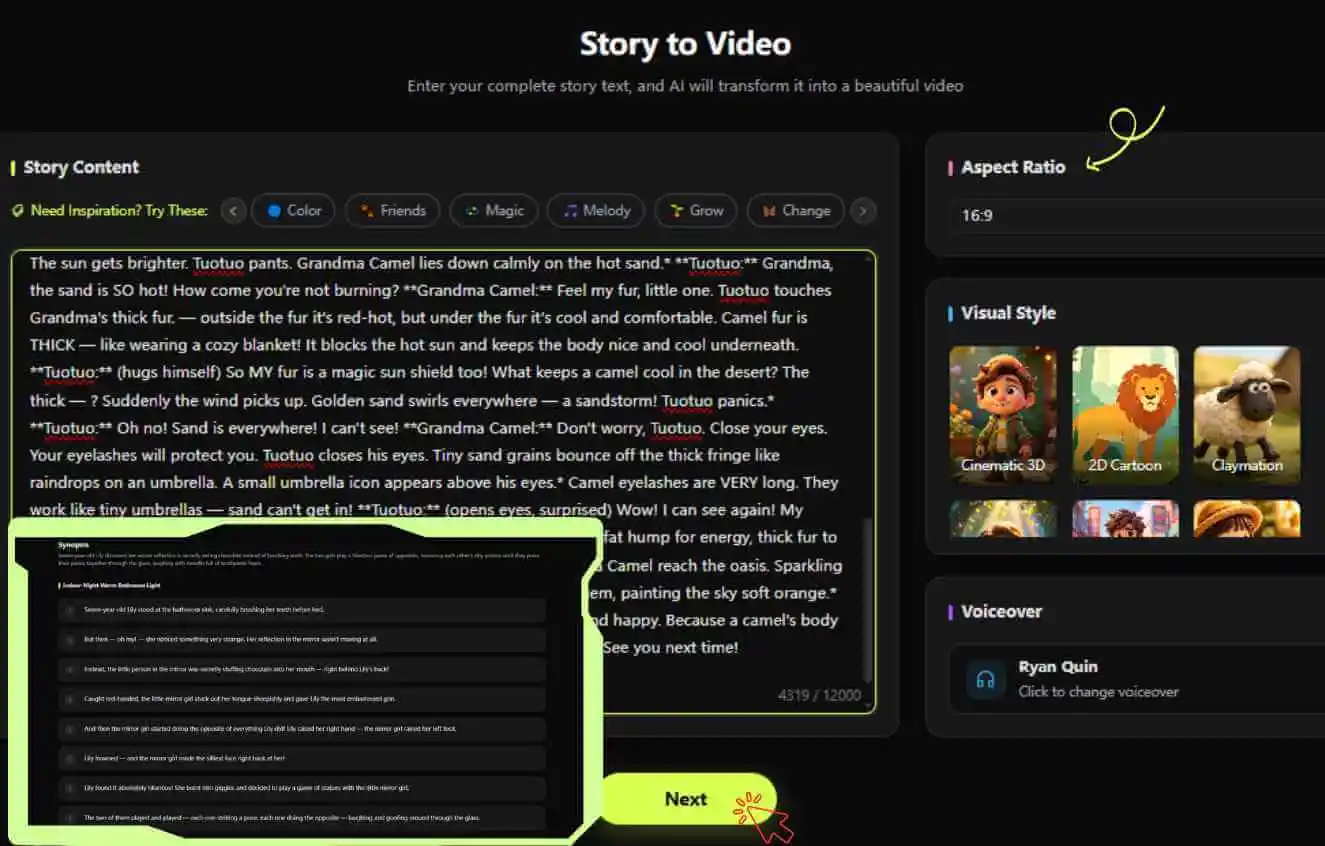
Step 1 Create Your Story & Script
Enter your story, or use KiVi AI’s inspiration features if you need inspiration. Choose your aspect ratio and an AI animation style, then select a natural-sounding voiceover. Kivi AI generates a complete script that you can edit before creating the scenes.
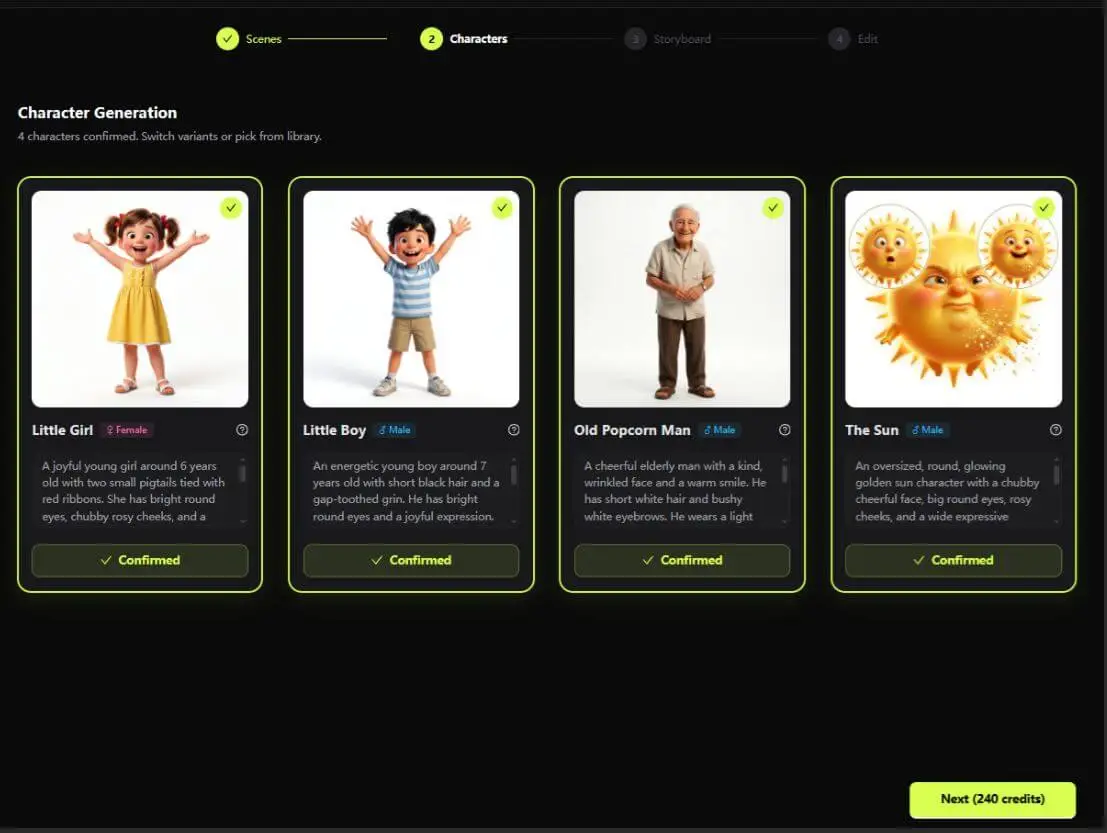
Step 2 Lock Your Characters
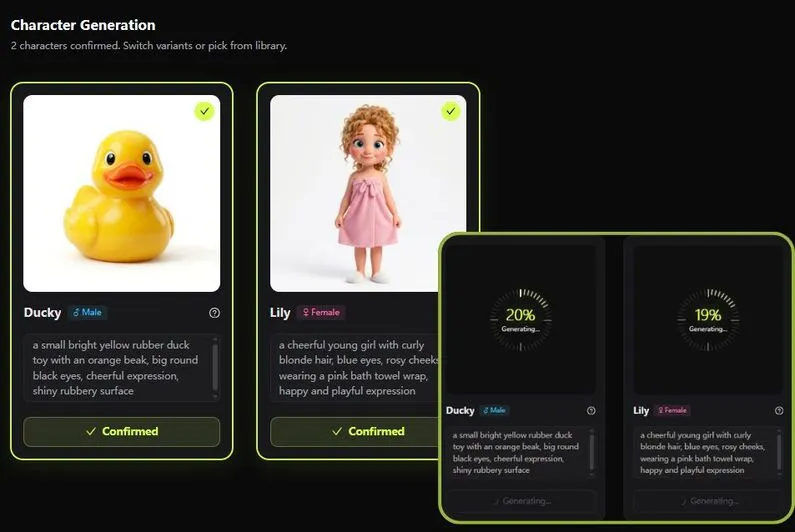
The AI automatically extracts main characters and provides concept art. Pick your favorite character design to lock their appearance. This character consistency workflow helps keep the same face, clothing, and visual identity across every generated scene in your 3D cartoon maker workspace.
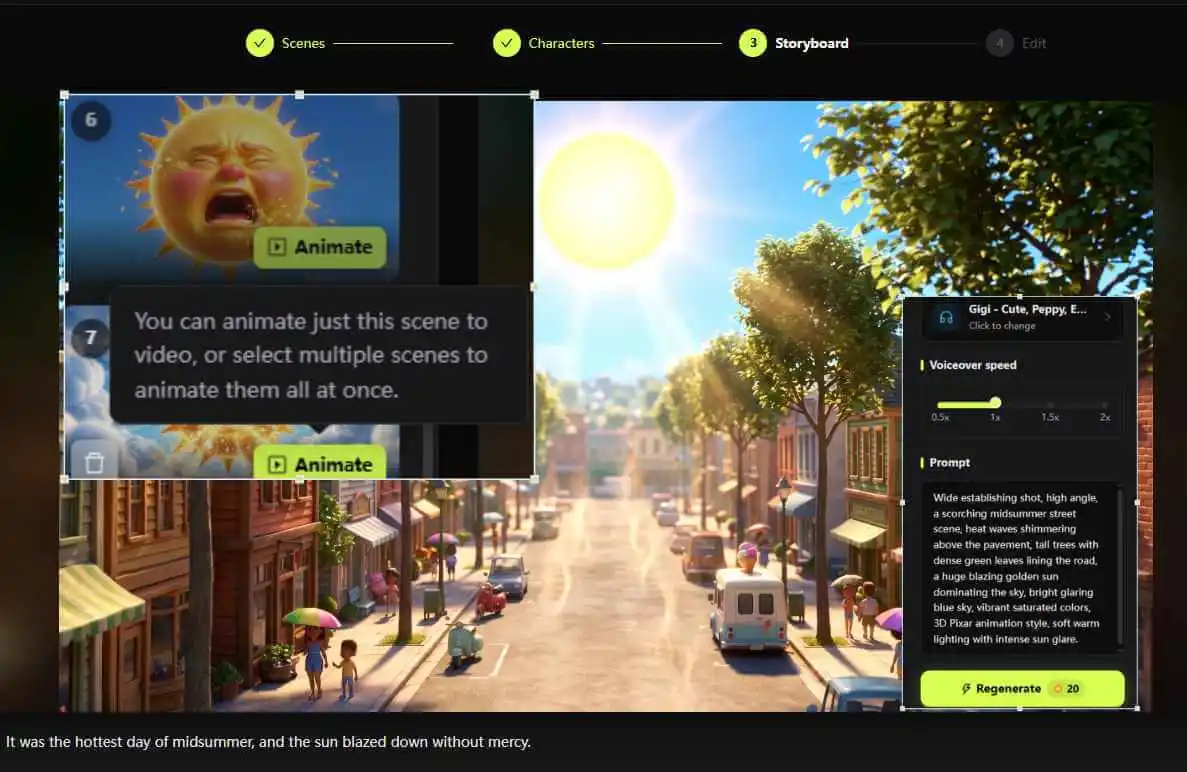
Step 3 Animate & Add Music
Bring your scenes to life in one click with advanced AI rendering. Choose background instrumental music that perfectly sets the tone and emotional mood for your story.
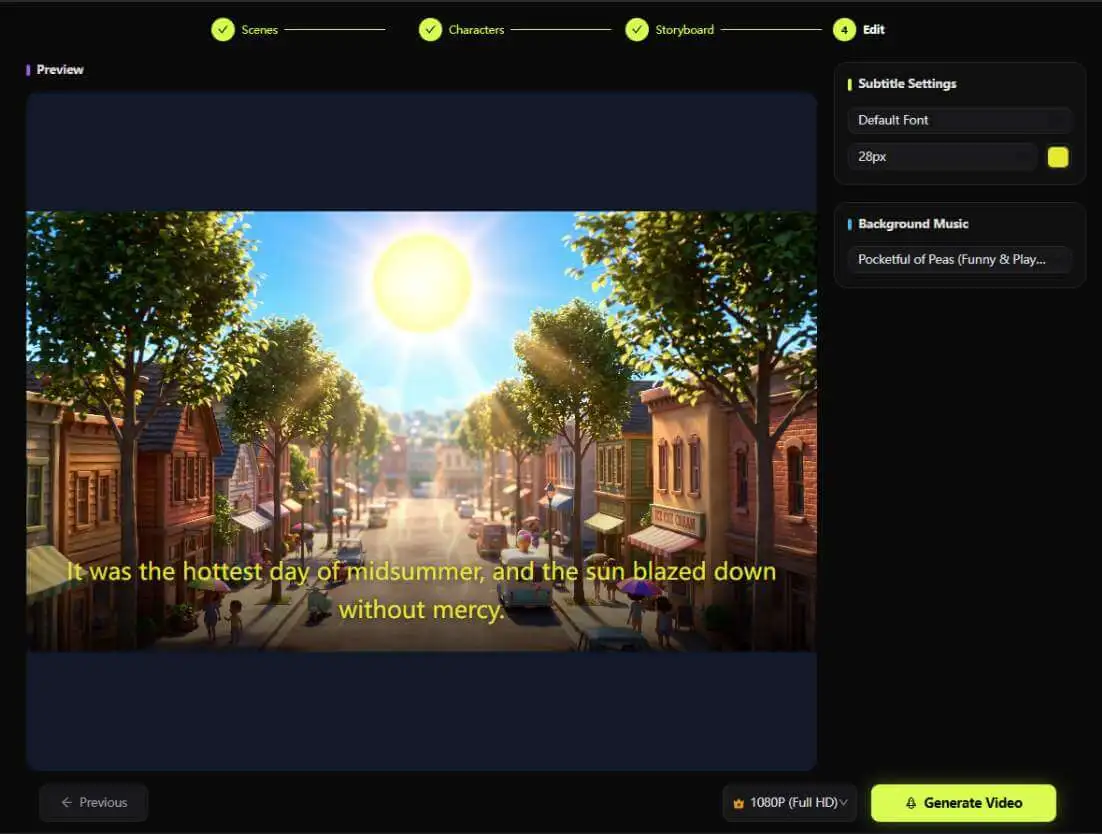
Step 4 Subtitles & Export
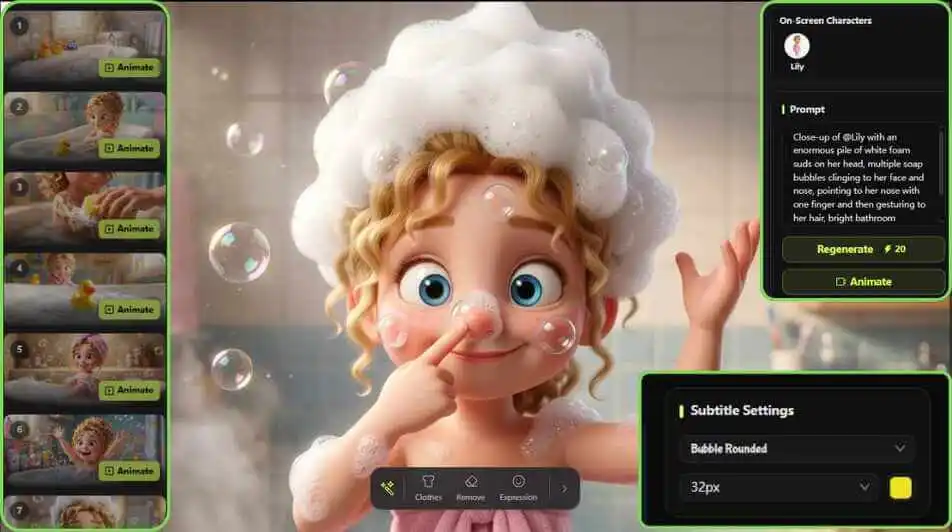
Customize your subtitle size, placement, and font styling for optimal reading clarity during AI reading video playback. Preview the entire sequence and export your video in HD.
Feature 2: How to Create Nursery Rhyme Videos (MV)
Transforming nursery rhymes into vibrant music videos is simple with KiVi AI’s AI nursery rhyme video generator. Follow these four steps to create catchy songs with matching animations.
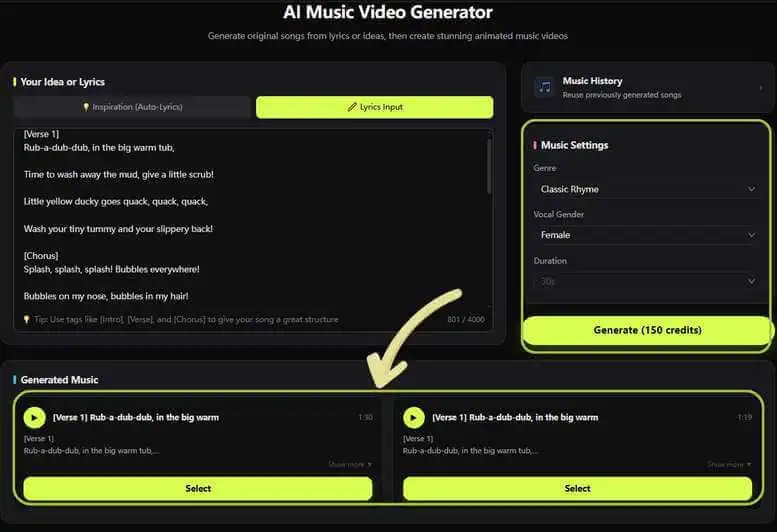
Step 1 Craft Your Song
Input your own lyrics or auto-generate creative ideas to sing a nursery rhyme. Choose your favorite musical genre (such as Lullaby, Classic Rhyme, or energetic baby songs), select vocal parameters, set the track duration, and preview your generated tracks.
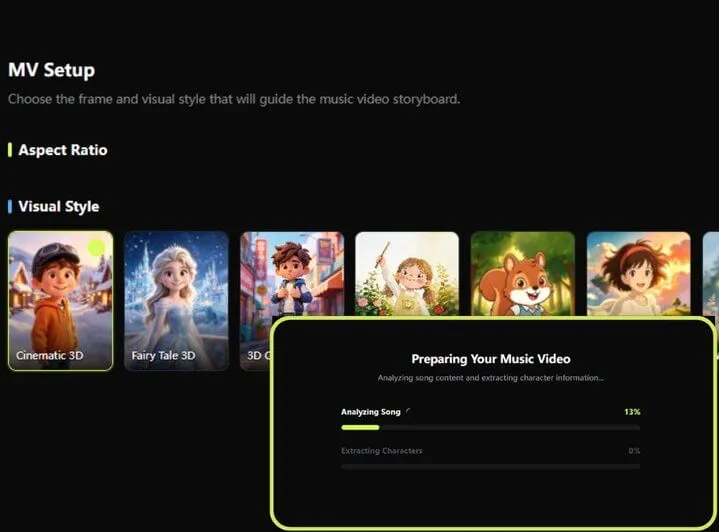
Step 2 Set the Visuals
Pick a visual art style tailored to your nursery rhyme. Explore different cartoon styles for AI , including Cinematic 3D, claymation stop motion, and storybook art, then set your video’s aspect ratio.
Step 3 Design the Characters
Choose from AI-generated characters tailored specifically to your song's story, or upload your own custom IP character to feature as the main star in the music video.
Step 4 Finalize Your MV
Review the animated storyboard, customize sing-along karaoke subtitle styles for easy reading, and render your final animated video for your favorite baby songs!
Why Use KiVi AI as a 3D Cartoon Maker?
Whether you want to create a clay animation movie, a classroom story, or a short social clip, KiVi AI gives parents, teachers, and content creators a flexible way to produce children’s videos.
All-In-One Platform
Instead of switching between drawing apps and audio editors, KiVi AI combines story rendering, song generation, character locking, and video editing into one smooth browser workflow.
Diverse Content Applications
With a powerful 3D cartoon generator, you can produce:
- Interactive tutorials on how to make educational videos using AI;
- Sing-along nursery rhymes and lullabies;
- Bedtime fairy tales featuring consistent characters;
- Fun claymation stop motion shorts for social media;
- Social-emotional story animations for classroom learning;
Personalized Narration and Multilingual Content
KiVi AI also supports personalized narration with voice cloning, allowing creators to use their own voice for animated stories and educational videos. With support for multiple languages, you can create content more efficiently—producing animated videos in Arabic, French, German, Spanish, and Turkish, in addition to English.
Fast & Cost-Effective Production
Using an AI-driven workflow cuts down animation production timelines from weeks to minutes, making it easier to publish content regularly on YouTube, TikTok, or educational portals.
Tips for Creating Better AI 3D Cartoons for Kids
Focus on One Core Idea
Children retain simple, focused stories best. Focus on one main lesson, such as sharing, brushing teeth, or counting numbers, per video clip.
Choose Distinct Visual Styles
Match visual art styles to your audience. Try vibrant Cinematic 3D designs for energetic songs, or soft cozy anime and watercolor styles for gentle bedtime stories.
Always Review Before Sharing
Review generated audio, lyrics, and character movements before publishing. Make sure the final video is appropriate for the intended age group and follows your own safety and educational standards. See the KiVi AI FAQ for more information about generated content and usage rights.
Frequently Asked Questions About Kids’ Animation
Conclusion
Creating high-quality AI 3D cartoon and musical nursery rhymes no longer requires an expensive studio or weeks of manual work. With KiVi AI , you can turn an idea into an animated story or catchy music video more efficiently.
Ready to create your first animated video or song?
Explore KiVi AI today and start crafting magical stories and nursery rhymes for kids.