
















 Shop
Shop


Tired of mock location apps getting detected? AnyTo changes GPS more smoothly, simulates natural movement, and helps reduce instant blocks. Explore new cities and region-locked apps with safer, more reliable location control.
Prices change across borders. Dating pools expand in new cities. Region-locked apps suddenly open their gates. That’s the appeal of using a mock location app Android users rely on in 2026.
By changing your GPS coordinates, you can explore digital spaces as if you were somewhere else. But it’s not always smooth. Some apps detect spoofing instantly. Others block access quietly.
So how does it actually work, why does it fail, and how can you avoid detection? This guide breaks it all down.
Quick Navigation
- The Basics: How Mock Location Works on Android
- 8 Best Mock Location Apps for Android (That Actually Work)
-
iMyFone AnyTo

- LocaChange
- iRocket LocSpoof
- The App Ninjas' GPS Joystick
- SAMBOKING's Fly GPS
- Lexa's Fake GPS Location
- ByteRevApps' Fake GPS
- Fake GPS Location Spoofer
- Why Your Mock Location App Fails on Some Apps
- How to Hide Mock Location on Android
- FAQs about Mocking Location on Android
- Final Thoughts
The Basics: How Mock Location Works on Android
Mock location on Android works through a built-in developer feature. Android allows apps to simulate GPS coordinates for testing purposes. Spoofing apps simply use this feature to feed your phone fake latitude and longitude data instead of your real location.
Here’s the simple flow:
- You enable Developer options on your Android device.
- You select a mock location app in the developer settings.
- That app becomes the source of GPS data for your phone.
- Other apps read the fake coordinates as if they were real.
However, modern apps often go beyond basic GPS checks. They may also analyze:
- IP address
- Wi-Fi networks
- Bluetooth beacons
- Device sensor movement
- Root or developer status
If those signals don’t match your spoofed GPS, the app may flag or block you.
8 Best Mock Location Apps for Android (That Actually Work)
Not all mock location apps survive modern detection systems. Some crash. Some get flagged instantly. Some are just ad machines wearing a GPS mask. Below are tools that are still functional in 2026, starting with the most complete solution.
| App | Free | No Ads | Easy Setup | Teleport | Joystick | Route Simulation | Anti-Detection |
|---|---|---|---|---|---|---|---|
| AnyTo | Free Trial + Premium | ✅ | ✅ | ✅ | ✅ | ✅ | Yes (speed, realistic routes) |
| LocaChange | Free Trial + Premium | ✅ | ✅ | ✅ | ✅ | ✅ | Basic |
| LocSpoof | Free Trial + Premium | ✅ | ✅ | ✅ | ✅ | ✅ | Basic |
| GPS Joystick (The App Ninjas) | ✅ | ✅ | Moderate | ✅ | ✅ | ✅ | Cooldown helps |
| SAMBOKING Fly GPS | ✅ | ❌ | ✅ | ✅ | ✅ | ❌ | Basic |
| Lexa’s Fake GPS | ✅ | ✅ | Simple | ✅ | ✅ | ❌ | ❌ |
| ByteRevApps Fake GPS | ✅ | ❌ | ✅ | ✅ | ❌ | ❌ | ❌ |
| Fake GPS Location Spoofer | ✅ | ❌ | Simple | ✅ | Pro only | Pro only | Basic |
1 iMyFone AnyTo
If you want something stable rather than experimental, iMyFone AnyTo is widely considered one of the best fake GPS location apps for Android right now. It modifies your GPS coordinates at the system level, which makes it more consistent with apps that verify location authenticity.
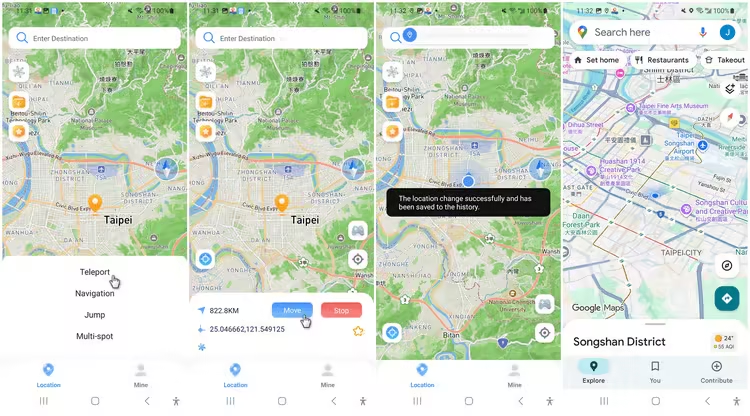
It works directly on your Android phone and also supports connection to a PC if you prefer desktop control. For gamers, it’s also commonly used for Pokémon GO spoofing and other LBS games.


AnyTo's Key Features
- Quick one-click location change. Search any city, address, or coordinates and teleport instantly.
- Easy setup. No need to root your phone to avoid detection.
- No distance limit. Jump across regions or countries without artificial caps.
- Joystick control. Manually move your avatar step by step instead of hard teleporting.
- Walk a custom route. Pick a few spots on the map to build your own path. The app will then follow that route, simulating natural movement as you go.
- Supports major location-based apps and games. Compatible with games, dating apps, social platforms, and other GPS-based.
2 LocaChange
LocaChange is another top-rated GPS spoofer trusted by gamers, developers, and privacy-focused users.
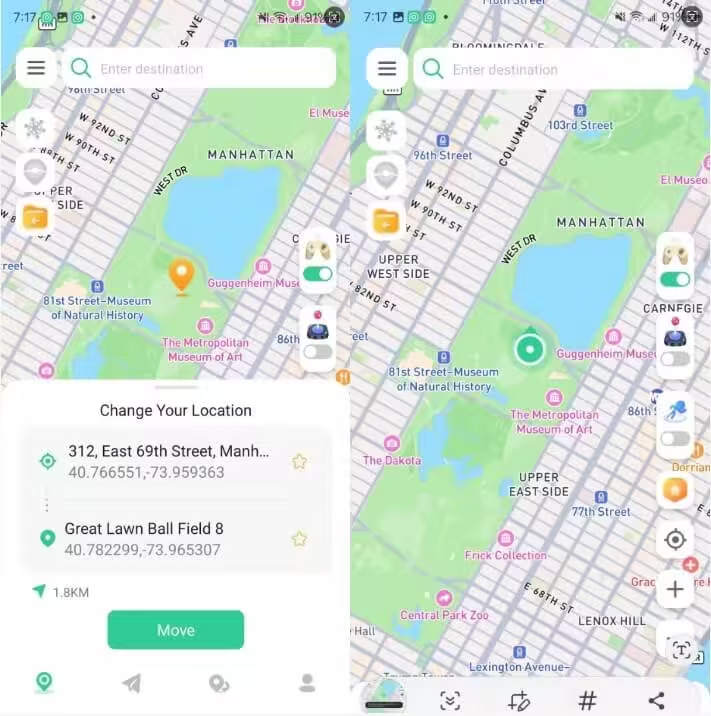
Like AnyTo, it focuses on stable system-level location changes and supports Pokémon GO spoofing without requiring root or jailbreak.
LocaChange's Key Features
- Works on standard Android devices without system modification.
- Instantly jump to any global location with address or coordinate search.
- Create custom walking paths with adjustable speed to mimic natural movement.
- Manual movement for precise positioning in games and map-based apps.
- Free trial is available.
3 iRocket LocSpoof
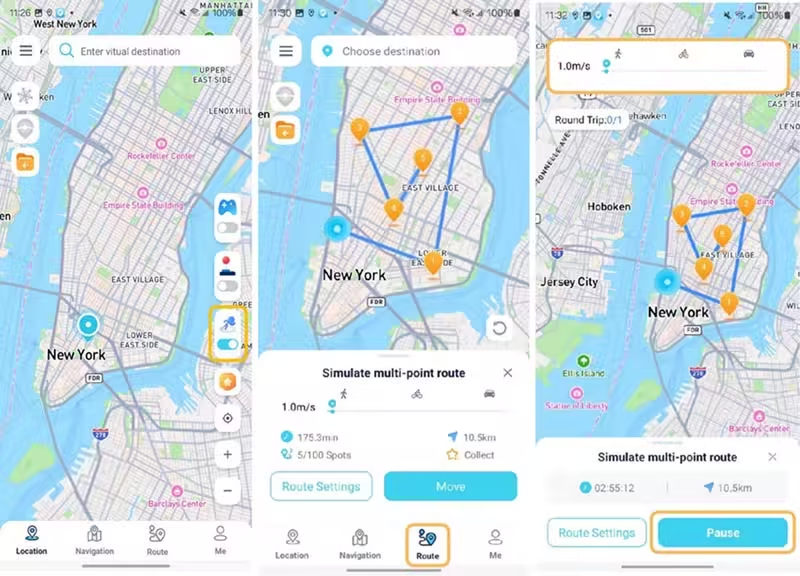
iRocket LocSpoof works similarly to the two GPS location changers above. It allows you to set a fake GPS location through Android’s mock location framework and feed those coordinates to other apps.
iRocket LocSpoof's Key Features
- Easily selectable inside Android Developer Options.
- Instantly change location without complex configuration.
- Save frequently used cities or coordinates for quick switching.
- Simulate walking between two points at adjustable speeds.
- Minimal storage usage and relatively low system impact.
4 The App Ninjas' GPS Joystick
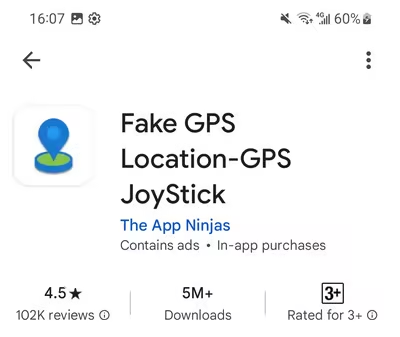
Often crowned the best free location changer in the Android jungle, The App Ninjas’ GPS Joystick gives you serious control without opening your wallet.
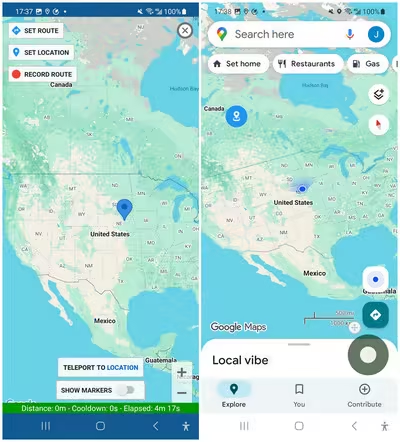
It even includes a built-in cooldown timer to help avoid suspicious movement patterns. That said, its interface feels more "developer console" than "friendly travel app."
GPS Joystick's Key Features
- On-screen joystick control. Move freely in real time with directional controls layered over your screen.
- Tracks realistic travel intervals to reduce abnormal movement detection.
- Create walking paths with adjustable speeds for more natural movement.
- Location search by address or coordinates. Jump anywhere globally with manual input precision.
- Robust features available without mandatory subscription.
5 SAMBOKING's Fly GPS
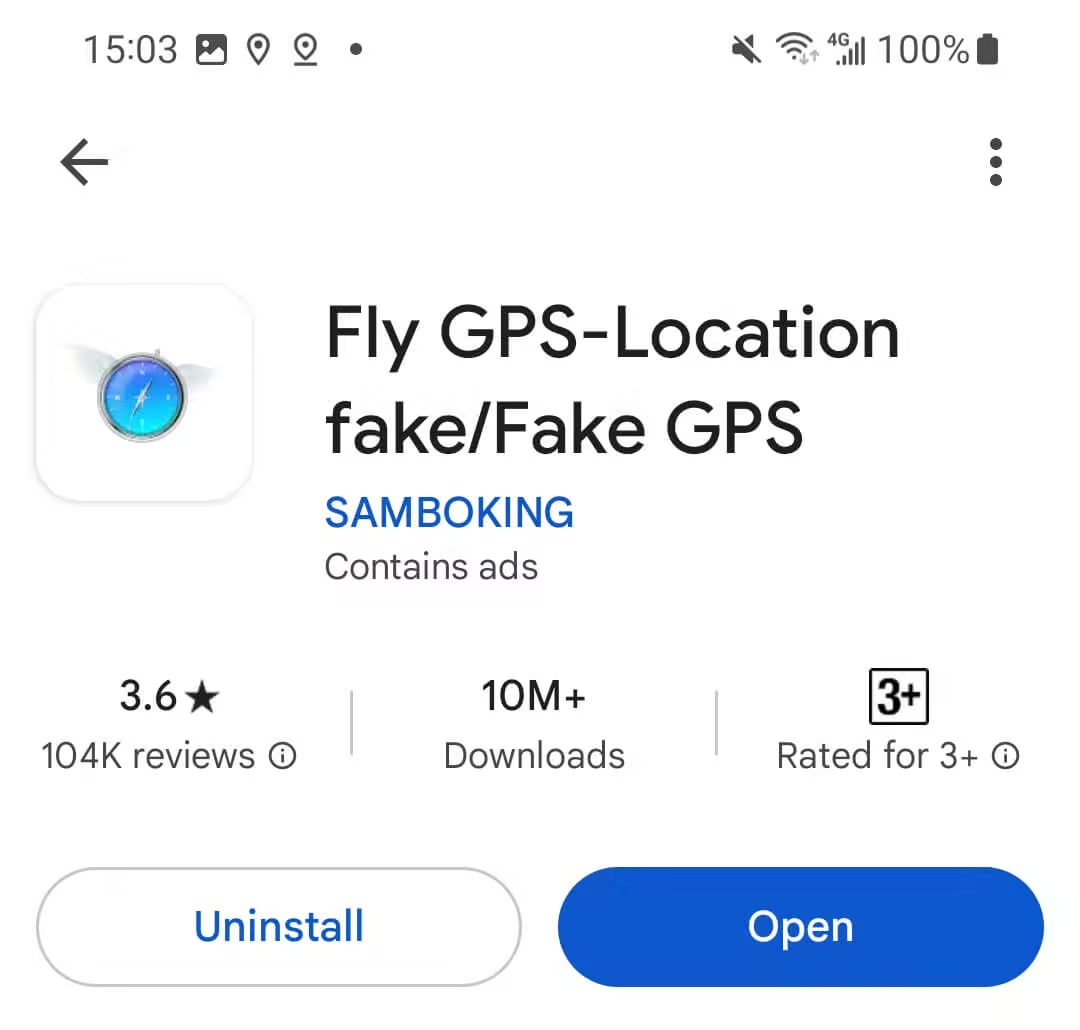
SAMBOKING’s Fly GPS is the “plug it in and go” option. It is easy to use and beginner-friendly, though you will have to tolerate ads that are not skippable. Support and updates are limited, so you are largely on your own if issues pop up.
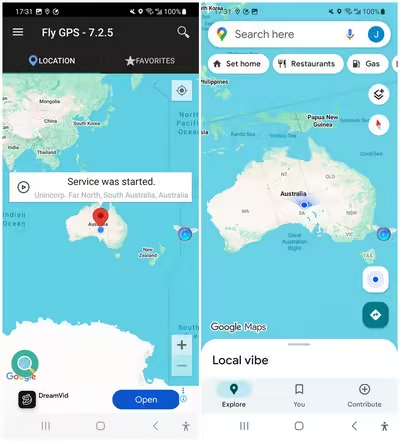
Fly GPS's Key Features
- Simple teleport interface. Tap a point on the map and relocate instantly.
- Overlay Joystick controls available. Manual navigation control for real-time adjustments.
- Lightweight installation. Runs on many devices without heavy resource usage.
6 Lexa's Fake GPS Location
Lexa’s Fake GPS Location is one of the most downloaded and reviewed location spoofing apps on Android. However, if you cannot find it on Google Play, it likely means your device runs a newer Android version. The app primarily supports older Android systems.
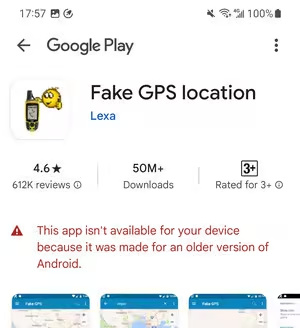
Fake GPS Location's Key Features
- Classic mock location support. Fully integrates with Android’s mock location framework.
- Quickly revisit previously used spoofed locations.
- Minimal and clean interface. Straightforward design with easy navigation.
- In certain versions, it may mask your network details for added stealth.
7 ByteRevApps' Fake GPS
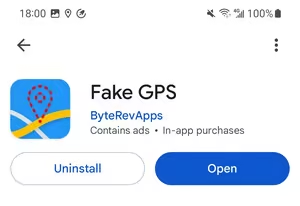
ByteRevApps’ Fake GPS is the minimalist of the bunch. No joystick. No walking routes. Just pure teleportation with a clean, uncluttered interface that feels refreshingly straightforward.
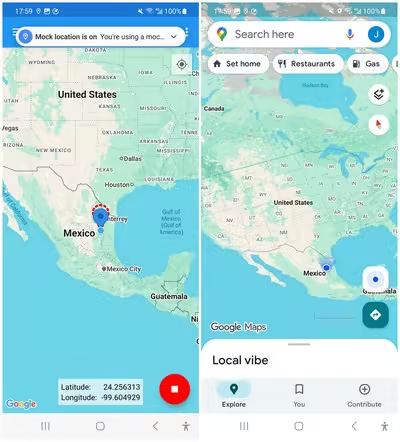
Fake GPS's Key Features
- One-tap teleportation. Select a point on the map and instantly change your GPS location.
- Quickly jump to any city or exact latitude and longitude.
- Clean and simple UI. Minimal layout with no complicated menus or advanced settings.
- Bookmark frequently used locations for fast switching.
8 Fake GPS Location Spoofer
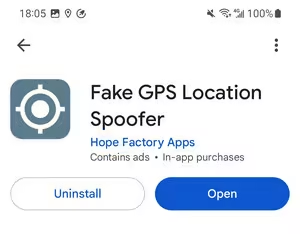
Fake GPS Location Spoofer also keeps things visually clean and easy to navigate.
The free version focuses on basic teleportation and includes minor ads. If you want advanced movement controls like joystick and route generation, you will need to upgrade to the Pro version.
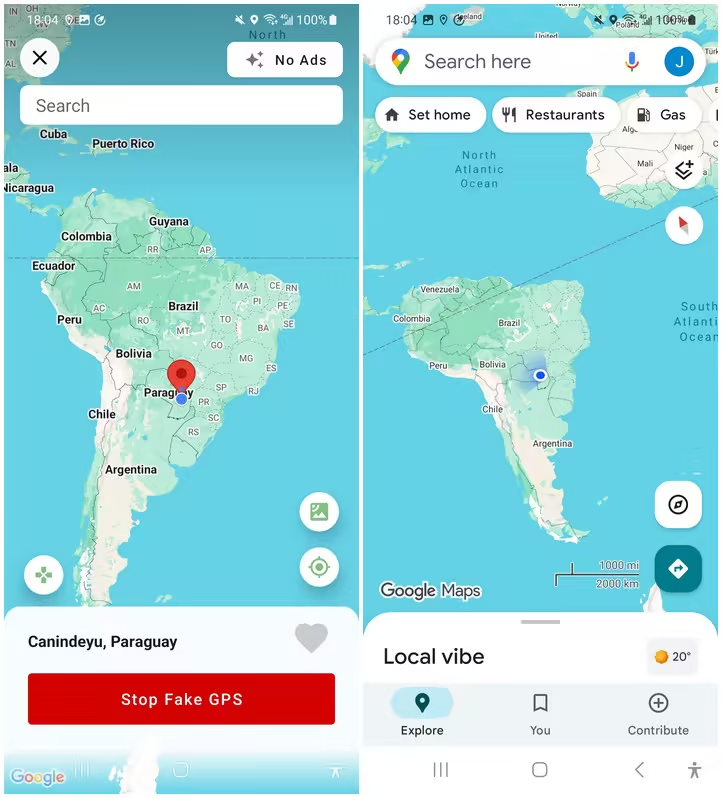
Fake GPS Location Spoofer's Key Features
- Instantly set a new GPS location anywhere on the map ((supported in free version).
- User-friendly interface. Clear map view with intuitive controls.
- Save your favorite locations and rename them.
Why Your Mock Location App Fails on Some Apps
You teleport to Tokyo. Google Maps nods politely and drops you beside a ramen shop. Victory, right? Then you open Tinder or Bumble and… nothing. Your profile still thinks you are in your living room.
That happens because some apps actively resist mock location signals. Apps like Tinder, Bumble, Grindr, and Pokémon GO treat GPS spoofing as a terms of service violation.
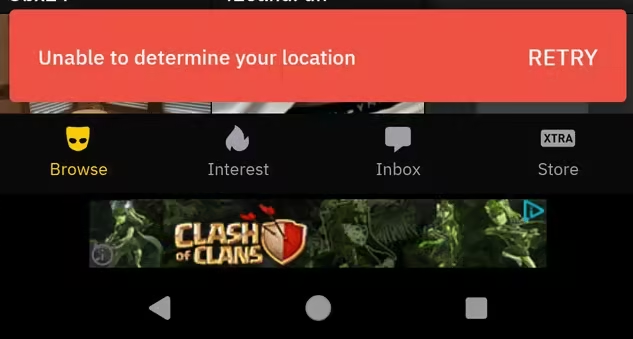
If spoofing is detected, reactions vary. Some silently ignore the fake coordinates. Others show vague “location unavailable” errors. Repeated violations can lead to soft bans or permanent account suspension.
So yes, your mock location app may technically work. The real battle is avoiding detection.
How to Hide Mock Location on Android
Hiding mock location is where things get technical fast.
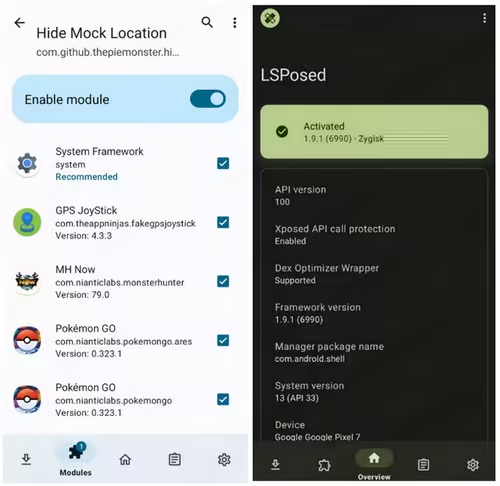
Advanced users root their Android device with Magisk, enable Zygisk, and install LSPosed to run specific modules (like 'Hide Mock Location') that mask detection at the system level.
How to Check If It Worked
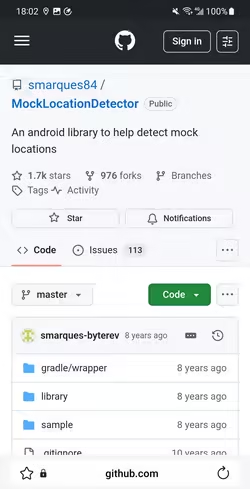
To verify whether your mock location is successfully hidden, you can set up a mock location detector from GitHub. These apps simulate detection methods used by stricter platforms.
FAQs about Mocking Location on Android
Is it possible to mock location without enabling Developer Options?
Yes, but only if you root your device.
On a rooted Android, you can install frameworks like LSPosed and use modules such as XposedFakeLocation to spoof GPS at a deeper system level. This method injects fake coordinates directly into the system, so you do not need to enable “Allow mock locations” in Developer Options.
Is mock location illegal?
In most countries, simply changing your GPS location is not a criminal offense.
That said, mocking location can violate an app’s Terms of Service. Platforms like Tinder or Pokémon GO clearly prohibit spoofing. Breaking those rules may lead to warnings, suspensions, or permanent bans.
Using spoofing for fraud, scams, or bypassing legal restrictions can get you serious legal trouble. The tool itself is not inherently illegal. How you use it determines the risk.
Final Thoughts
Mocking location on Android in 2026 is no longer just flipping a switch and pretending you live in Paris. Apps have evolved. Detection systems have sharpened their claws. Some platforms tolerate basic mock feeds. Others treat them like counterfeit passports.
If you just want better prices, broader dating pools, or privacy control, basic mock apps may be enough. If you aim to bypass strict gaming or security checks, the road becomes technical, risky, and sometimes not worth the detour.
In short, change your digital coordinates wisely. The map may be virtual, but consequences are very real.

iMyFone AnyTo
Change GPS Location on iOS/Android
168,282 people have downloaded
- Fake iOS/Android GPS location to anywhere in the world instantly.
- 100% Work with location-based apps such as AR games, social platforms, etc.
- Joystick to simulate GPS movement freely when playing games.
- Import / Export GPX file to save your favorite routes.
- Compatible with All iOS & Android versions.

 AnyTo Discord Server


Aaron, senior editor of iMyFone, can deliver high-quality and practical solutions for iPhone unlocking and related issues. He always believes that technology should make the complicated easy.
-
Forever Friends & Remote Trades: What You Need to Know
Find out how Forever Friends and Remote Trades work in Pokemon GO, how to become Forever Friends, and how this new feature affects everyone.
9 mins read -
AnyTo Plus – Safely Change iPhone Location Using Android (No Jailbreak Needed)
AnyTo Plus is a location changer that lets you spoof your iPhone GPS using an Android phone. Works with official Pokémon GO and MHN – no jailbreak required.
8 mins read -
Hyper Training Guide: Best Pokémon for Silver Bottle Caps in Pokémon GO
How does Silver Bottle Cap work in Pokémon GO? Which Pokémon should you use the Silver Bottle Cap on? Check out this ultimate Hyper Training guide!
8 mins read -
Pokémon GO Urban vs Rural Challenges: Tips for Rural Players
This article explore Pokémon GO's urban vs rural challenges, Niantic's needed fixes, and smart tips to help rural trainers level up their experience.
7 mins read -
Mega Metagross Pokémon GO Debut: Best Moveset, Counters, Stats & Guide
Mega Metagross is finally making its debut in Pokémon GO next season! Learn how to get it, its best moveset, top counters, and key stats to dominate battles.
6 mins read -
How to Beat Dialga in Pokémon GO: Weakness & Best Counters [Raid Guide]
Dialga returns as a Tier 5 Raid Boss in Pokémon GO this September! Learn Dialga's weakness, best counters, and how it compares to Origin Forme and Palkia!
10 mins read
Was this page helpful?
Thanks for your rating
Rated successfully!
You have already rated this article, please do not repeat scoring!