
















 Shop
Shop



iMyFone LockWiper
Unlock iPad without Apple ID or password in minutes — fast, simple, and secure.

Question
"I bought a used iPad but it's locked to the previous owner's Apple ID. Please help!"--- Question from Reddit
You may also encounter forgot iPad passcode, and want to know how to unlock it, free method will be great. This post contains 4 free ipad unlock software for you. However,
Here is the honest truth: Most "free" iPad unlock tools are not what they seem. Some are scams. Some may even harm your device or steal your data.
This post also provides 2 free methods to unlock iPad provided by Apple Official. Let's dive in.

In this article:

Comparison: 4 Free iPad Unlock Software
Before we go to the detailed introduction of each iPad unlocker, here’s a quick comparison to give you a general overview.
| Software | Free or Paid? | What It Unlocks | Supported iOS | Things to Prepare | Download Link |
|---|---|---|---|---|---|
| LockWiper | Free trial | iPad Screen passcode, Apple ID Lock, MDM, Screen Time | All iOS, including iOS 27 | a PC | Download LockWiper |
| iCloudin | Claims free but risky | iCloud Activation Lock only (iOS 9 or before) | iOS 9 or older (15% success rate) | a PC | Too Risky to provide |
| UnlockMaker | Free | iCloud Activation Lock | All iOS | Things to prove you own the Locked iPad | Online iPad unlocker free |
| DNS Bypass | Completely free | iCloud Activation Lock (temporary, limited) | iOS 8 - iOS 10 | Your iPac | Operate on the iPad |

Note
Important: Always download software from official websites. Many fake download sites contain malware.
Third-Party Free iPad Unlock Software
1 iMyFone LockWiper
Are you looking for a reliable ipad unlock software for free download? Look no further. With iMyFone LockWiper, unlocking your iPad has never been easier. Designed for iPad unlocking, this powerful program offers an efficient iPad unlocking service that allows you to regain full access to your device.
Its 12+ years of unlocking iPad experience enables users to unlock iPad screen passcode, Apple ID / iCloud Activation Lock, and screen time passcode in just a few clicks.
You can download it for free and try its free trial to unlock iPad.

iPad Unlock Software Free Download
- Bypass screen lock without password, including Face ID, Touch ID.
- Quickly delete, change screen lock and passcode with 100% safe.
- Unlock iPhone instantly when screen password failed.
- Reset Apple device to factory settings even broken screen, locked-out screen.
Video about using LockWiper to unlock iPad
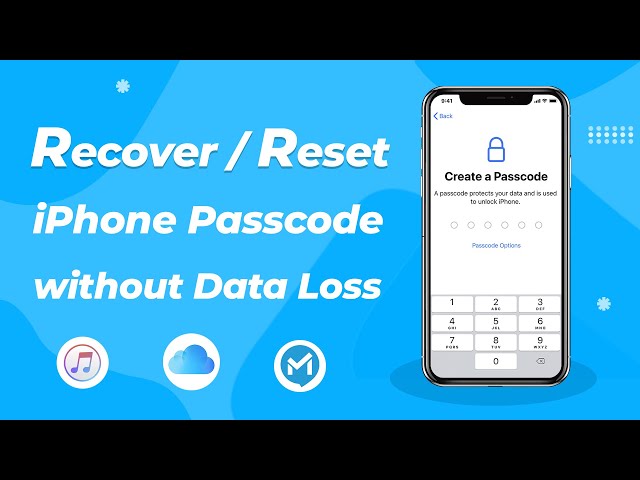
Step 1: Download and launch LockWiper on your computer, and click Unlock Screen Passcode and Start.

Step 2. Connect your iPad to computer. Click Next. Your iPad will be automatically detected. Select Download to download the firmware package.

Step 3. Click Start Unlock after firmware package has been extracted. Then confirm to unlock. This program will start to unlock your iPad passcode.

By following these simple steps, you will be able to unlock your iPad and get back into and access your iPad, try iPad unlocker free download now.
2 iCloudin
iCloudin is a tool that many websites mention as a free iPad unlock software. It claims to disable iCloud Activation Lock on iPads and iPhones completely free. However, as the iCloudin official is no longer being maintained,the official download link is hard to find, besides, most download sites are phishing sites or contain malware.
In addition, though as a ipad unlocker free, iCloudin is limited worked on iOS 9 or older, and the success rate is about as low as 15%.

Pros

- Unlock iPad for free
- May work on very old iPads (iOS 9 or older)
Cons

- Official links no longer work
- High risk of downloading malware
- Does NOT work on newer iOS versions
- Many fake/phishing websites

Warning
Do not search for "iCloudin download" – you will likely encounter fake websites.
3 UnlockMaker
UnlockMaker is a website that claims to offer free iPad unlock software for iCloud Activation Lock. It requires you to provide relevant supporting documents (including but not limited to, the original receipt with your name and purchase date, and a government ID that matches the receipt name) to prove that you are indeed the owner of the iPad in order to unlock iPad for free.
On Trustpilot, UnlockMaker has a Poor rating (2.3/5). Here are real user comments.
Some people say it is "Quick and Easy,"

while others comment, "This site is a scam."

Pros
- Website claims free service
- Support iPhone, iPad, Apple Watch, and all iOS system
Cons
- Multiple users report hidden fees
- May collect personal and financial information
- Links on the site may redirect to suspicious pages
4 DNS iCloud Lock Bypass
DNS Bypass is a completely free method to bypass iCloud Activation Lock on older iPads. It doesn't fully unlock the device. It tricks your iPad to connect to a third-party DNS server instead of Apple's server. This lets you bypass the Activation Lock screen and use some limited features( like camera and web browsing) of your iPad. But, it may not work on all devices, old iOS--iOS 8 to iOS 10 only.
Pros
- Completely free to unlock iPad
- No software download or computer needed
- No personal information required
Cons
- Only works on iOS 8 - iOS 10 (very old iPads)
- Temporary iPad unlocking – lock returns after restart
- Limited functions – no iCloud or App Store
Free Apple Official Methods to Unlock iPad for Free
1 iCloud "Find My"
If you forgot your iPad passcode and know your Apple ID and password, you can go to iCloud on another iDevices, and click Erase iPad to erase your iPad remotely.
Get to know how to use iCloud Find My.

Pros
- 100% free to unlock iPad
- Remote safely remove Activation Lock
Cons
- Requires Find My iPad to be enabled
- Erases all data on the iPad
- Requires internet connection on the locked iPad
- Need Apple ID and password
2 Use Erase iPad Feature
If you’ve entered the wrong passcode multiple times and your iPad showed "iPad Unavailable" or "Security Lockout", you can remove iPad by clicking the Erase iPad at the botton-right corner of the lock screen.

Pros
- Unlock ipad for free
- No computer needed
- Safe to unlock iPad screen passcode
Cons
- Only suitable for iPadOS 15.2 or later
- Erases all data on the iPad
- Need Apple ID and password
iMyFone LockWiper
If you have owned an iPad for many years and cannot recall your Apple ID account or password, LockWiper is your ideal solution—it takes just 4 simple steps to unlock iPad.
Conclusion
In short, there’re some free ipad unlock software in the market However, free tools also come with certain potential risks. Therefore, choosing reliable iPad unlock software is crucial.As one of the most full-featured and reliable iPad unlock software, LockWiper is highly recommended.


Smith Marius is an iOS expert who fixes system bugs, screen mirroring issues, and performance glitches. A Pokémon GO fan, he shares tips on location changer and game optimization, helping players and iOS users get the best experience.
-
[2025] How to Use iforgot.apple.com Unlock Apple ID?
iforgot.apple.com can unlock Apple ID and reset Apple ID password. Let's see how it works to help you regain control of your device.
3 mins read -
How to Use 3uTools MDM Bypass & Its Alternatives [ 2026 ]
How to use 3uTools MDM bypass tool? This article gives a full review of how to bypass MDM with 3uTools and its best alternatives as well.
3 mins read -
What Is iOS 18 iPhone Inactivity Reboot Feature? How Does It Work?
Do you know the feature of iPhone inactivity reboot after 3 days in iOS 18.1? What is it and how does it work? This article tells you all!
2 mins read -
[2025] What Is iOS Account Manager & How to Remove It
What is iOS Account Manager? Can I remove it? This guide will explain what does iOS Account Manager mean and provide steps for you to remove it with ease.
3 mins read -
How to Fix This Apple ID Is Not Valid or Supported
This guide focuses on explaining and resolving why this apple id is not valid or not supported issues to help you fix Apple ID not working on iPhone problems.
3 mins read -
Easy Fix! Cannot Create Apple ID at This Time
If you are facing the dilemma of cannot create apple id at this time and don't know how to solve it, read this guide for an exhaustive solution.
3 mins read
Was this page helpful?
Thanks for your rating
Rated successfully!
You have already rated this article, please do not repeat scoring!