TiMyFone iMyTrans

Android → iPhone 18 | iOS 27 ready

Transfer WhatsApp from Android to iPhone 18

Move WhatsApp chats, attachments, and supported WhatsApp Business data from Android to your new iPhone 18, even after setup.

  • No factory reset required for supported transfers
  • Select the chats and attachments you want
  • Supports WhatsApp Business and different phone numbers

Move to iOS alternative

Already Set Up Your iPhone 18? You Don't Have to Start Over

Move to iOS is a free option during initial iPhone setup. If your iPhone 18 is already configured or you need more control over WhatsApp data, iMyTrans offers a more flexible workflow.

Free official route

Move to iOS

Best when the iPhone is new or erased and you want to move broader Android content during setup.

  • Free Android-to-iPhone setup migration
  • Requires setup mode or erasing a configured iPhone
  • One-way Android-to-iPhone workflow
  • No chat-level WhatsApp selection

Move to iOS remains a good free choice when it fits your setup. Apple notes that users who already finished setup must erase the iPhone and start over or transfer content manually. View Apple's instructions.

iPhone 18 launch offer

Choose the Right Plan for Your WhatsApp Transfer

Move supported WhatsApp data from Android to iPhone 18, then keep iMyTrans available for backup, restore, preview, and export.

Android ↔ iPhone transferBack up locallyRestore supported backupsPreview and export chats
Limited-time savings
40%OFF
Plans start at $29.99

More time to transfer

1-Year Plan

Regularly $59.99
$39.99/ year
Save $20Buy Annual

Auto-renews annually. Cancel anytime.

4-for-1 Deal!

Best long-term value

Lifetime Plan

Regularly $69.99
$49.99one time
Save $20Buy Lifetime

One-time purchase. No renewal.

4-for-1 Deal!

Prices are shown in USD and exclude applicable tax. Promotional pricing and availability may change. Monthly and annual plans renew automatically until canceled.

Quick answer

Choose by setup status and the control you need

Android transfer plan

Use Move to iOS for a free Android migration while setting up a new or erased iPhone. Choose iMyTrans when iPhone 18 is already configured or you need supported WhatsApp Business transfer, chat-level selection, different-number support, backup, preview, or export.

Start here

Choose your iPhone 18 migration route

Select your current situation. Official methods come first when they meet the job; iMyTrans is the focused option for supported social app data.

Move WhatsApp from Android to iPhone 18

Move to iOS is the free official route during initial setup. Choose iMyTrans when you want a supported no-reset workflow, WhatsApp Business, selected chats or attachments, different-number support, backup, preview, or export.

  • Back up important Android WhatsApp data first.
  • Confirm Android as the source and iPhone 18 as the destination.
  • Keep both devices powered and connected until verification.

Know your options

Use the free official method when it fits

The best approach often combines an official full-device move with a separate, verifiable social app backup.

iPhone to iPhone

Apple Quick Start

Best for setting up a new iPhone from an existing iPhone and moving broader device data.

Android to new iPhone

Apple Move to iOS

A free setup-time option for supported Android content, including eligible WhatsApp messages and media.

Social app data

iMyFone iMyTrans

The preferred product option for supported WhatsApp and LINE transfer, local backup, restore, preview, and export.

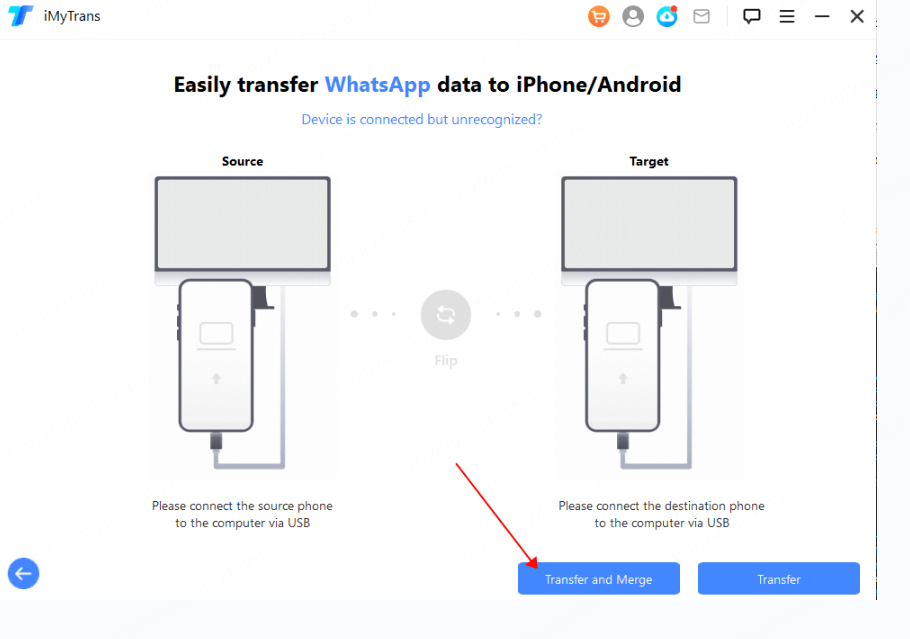
iMyTrans connecting an Android phone and iPhone 18 for WhatsApp transfer

Focused control for your chats

Why choose iMyTrans for Android to iPhone 18?

iMyTrans gives supported WhatsApp and LINE data a dedicated cross-platform workflow instead of treating it as a small part of a full-phone migration.

TransferMove WhatsApp, WhatsApp Business, and LINE data between Android and iPhone.
SelectChoose supported chats or attachments instead of moving everything blindly.
Back up & restoreCreate a local backup and restore supported sources when needed.
Preview & exportReview chats and attachments, then export selected content.

Trial and license: The free trial can back up WhatsApp and preview backup content. A full license is required to transfer between devices, restore to a phone, or export chats. Product disclosure: iMyTrans is developed by iMyFone, the publisher of this page.


Three-step Android workflow

How to Transfer WhatsApp from Android to iPhone 18

Confirm the Android source, choose the supported WhatsApp content, and verify it on iPhone 18 before removing anything from the old phone.

Connect Android and iPhone 18 in iMyTrans
STEP 01

Connect Android and iPhone 18

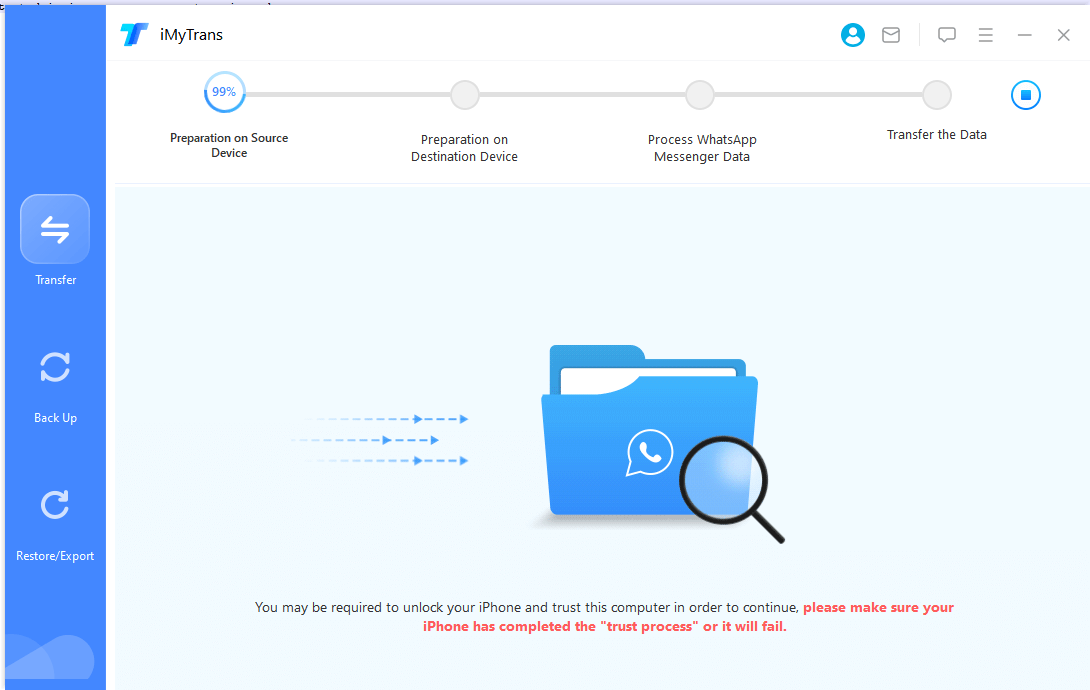
Unlock both devices, approve connection prompts, and confirm Android as the source.

Select WhatsApp chats or attachments for Android to iPhone transfer
STEP 02

Select and start the transfer

Choose the supported WhatsApp data you need, then follow the onscreen preparation steps.

Verify Android WhatsApp chats transferred to iPhone 18
STEP 03

Verify on iPhone 18

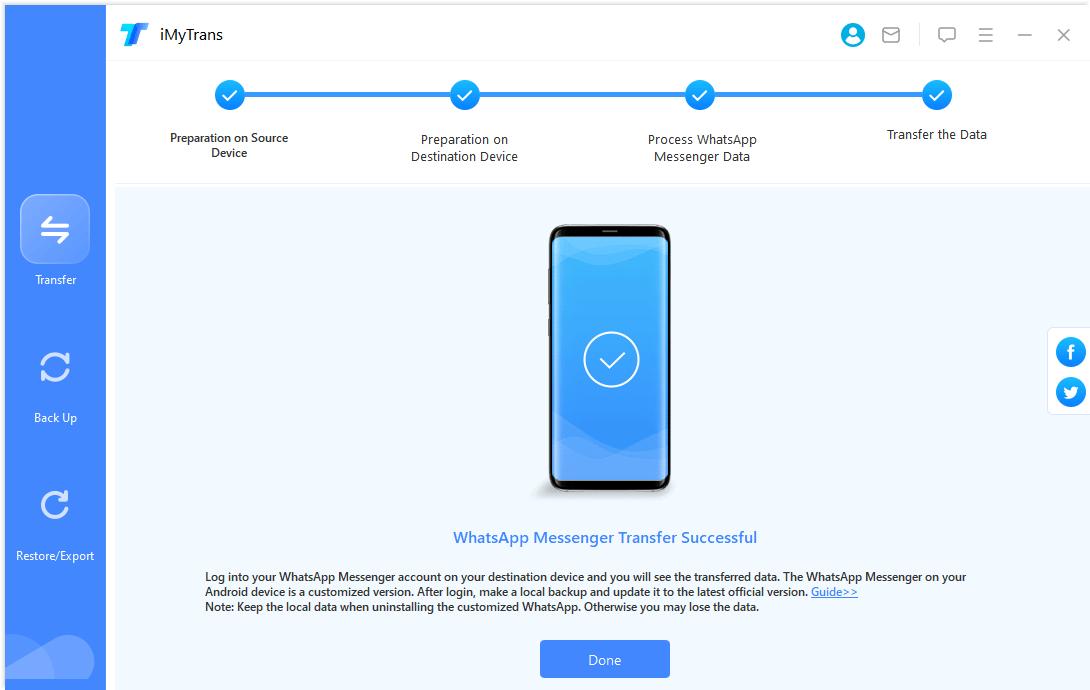
Check important chats, dates, media, and documents before cleaning up the Android phone.

Do not disconnect early. Avoid opening the messaging app on either phone until iMyTrans reports completion.

Method comparison

iMyTrans vs. Quick Start vs. Move to iOS

Choose by source phone, setup status, and the data you need to move.

Decision pointiMyTransQuick StartMove to iOS
Best forWhatsApp/LINE transfer, backup, restore, preview, exportComplete iPhone setupFree Android-to-iPhone setup migration
SourceSupported iPhone or AndroidiPhone or iPadAndroid
Transfer directionAndroid ↔ iPhoneiPhone to iPhoneAndroid to iPhone
Already set upSupported workflows do not require factory resetFull migration is designed for setupErase and restart, or move items manually
Select WhatsApp dataChoose supported chats or attachmentsNo chat-level selectionNo chat-level selection
WhatsApp Business / LINESupported workflows availableDepends on app migration behaviorWhatsApp Business is excluded from the official WhatsApp process
Preview/export chatsAvailable for supported backup contentNoNo
ComputerWindows or Mac requiredNot for wireless transferNo
LimitationNot full-phone cloningBoth devices are occupiedSetup and compatibility requirements apply

Ready to complete your iPhone 18 transfer?

Choose a full iMyTrans license to transfer chats between devices, restore backups to your phone, and export conversations after previewing them.

30-day money-back guaranteeInstant license deliverySecure payment

Before you retry

Common iPhone 18 transfer problems

Protect the source data first, then fix the failed connection or workflow.

iPhone already set up

Use an app-specific iMyTrans workflow, or erase only if you intentionally want to restart Apple's setup migration.

Move to iOS is stuck

Keep it onscreen, disable mobile data on Android, keep both phones powered, and restart both before retrying.

Destination chats at risk

Create a verified destination WhatsApp backup. Do not assume two independent chat histories will merge.

Attachments are missing

Check storage, verify the source backup, and keep cables connected until media processing finishes.

Phone is not detected

Unlock it, approve trust prompts, use a direct USB port, and try a certified data cable.

Recovery fallback

Lost data during your iPhone 18 move?

If photos, messages, contacts, or other files disappeared during migration or after an iOS 27 update, iMyFone D-Back can scan supported sources and let you preview available data before recovery.

Supports iOS 2738+ data typesDevice, iCloud, and iTunes recovery modes

Act quickly: Stop adding new data to the affected iPhone because continued use may overwrite recoverable files. Recovery results depend on the device and data condition.

DiMyFone D-Back

Scan first and preview the files that may still be recoverable.

Scan & Preview Free Learn more about D-Back →

Frequently asked questions

iPhone 18 transfer questions

No. iMyTrans focuses on supported WhatsApp, WhatsApp Business, GB WhatsApp, and LINE data. Use Quick Start, iCloud, Finder, or Move to iOS for broader phone content.

iMyTrans provides supported workflows that do not require a factory reset. Back up destination WhatsApp first because the effect on existing destination data varies by workflow.

Yes. It is free for eligible Android-to-iPhone transfers during setup. The official WhatsApp process requires a new or factory-reset iPhone and the same phone number.

iMyTrans lists WhatsApp Business among its supported apps. WhatsApp's official Android-to-iPhone help currently excludes WhatsApp Business from that official process.

Not immediately. Verify important chats, dates, media, and documents on iPhone 18 and keep at least one verified backup first.

Move the conversations that matter to iPhone 18

Buy the full version to complete supported transfers, restores, and exports, or use the free trial to back up and preview your data first.

Chatbot