

















 Shop
Shop


An old Apple Account should not keep control of a phone you own. LockWiper helps remove an Apple Account without the password, giving you a simpler way to regain control of your device.
You bought a used iPhone, only to find the previous owner's Apple Account still sitting at the top of Settings. Or perhaps it is your own old account, tied to an email address you stopped using years ago. The phone works, but the moment you tap Sign Out, it asks for a password you do not have.
Good news: this is not always a dead end. From this guide you'll learn how to remove Apple ID from iPhone or iPad without the password.

In this article:
- 3 Ways to Remove Apple ID from iPhone/iPad Without Password
- Remove Apple Account Using LockWiper [Suits All Situations]
- Factory Reset Through Settings [Find My Is Disabled]
- Use Recovery Mode [Activation Lock Is Already Off]
- How to Sign Out from Apple ID on Your Stolen iPhone
- How to Change Apple ID Password on iPhone/iPad?
- FAQs
- Conclusion
3 Ways to Remove Apple ID from iPhone/iPad Without Password
The right method depends on two things: whether Find My is enabled and whether Activation Lock is still tied to the unwanted account.
- Whether Find My is enabled
- Whether Activation Lock is still tied to the unwanted account
Here is the easiest way to find out the method for you:
| Method | Best for | Required condition | Data impact |
|---|---|---|---|
| LockWiper | Forgotten personal account or unreachable previous owner | Device is activated, accessible, and eligible | Depends on Find My and iOS version |
| Factory reset through Settings | Find My is already disabled | Access to Settings and the device passcode | Erases the device |
| Recovery Mode | Activation Lock is already off | Computer, cable, and Recovery Mode access | Erases the device |

Before You Start
Back up any data you want to keep. Settings reset and Recovery Mode both erase the device.
1 Remove Apple Account Using LockWiper
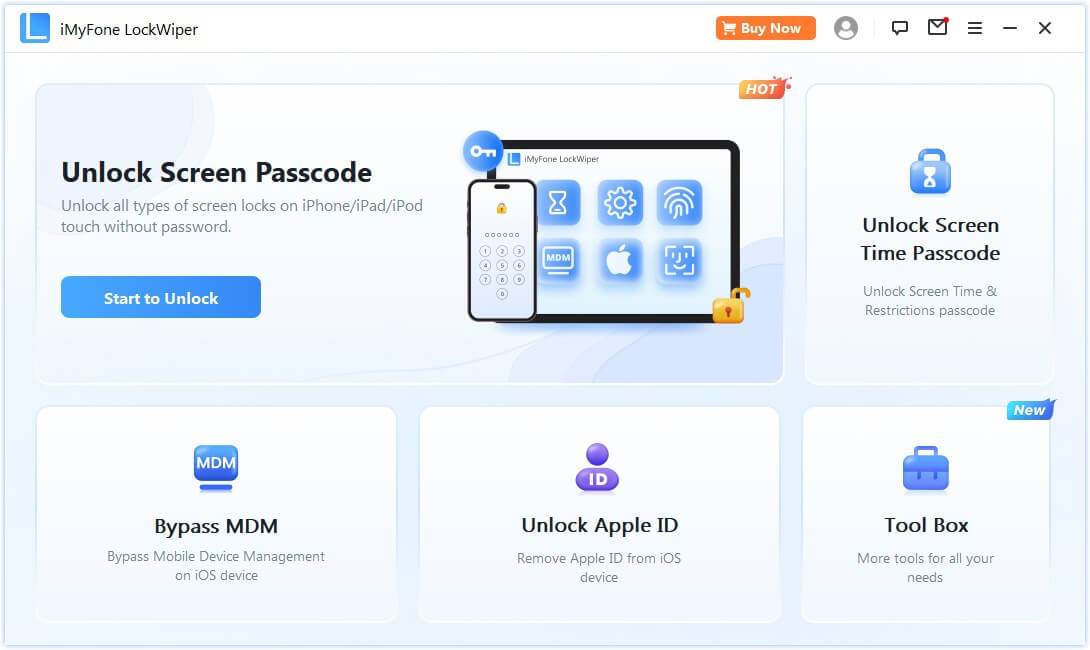
If the iPhone or iPad is already activated and you can reach its Home Screen, iMyFone LockWiper is the most direct place to start. Its dedicated Unlock Apple ID mode is built for the exact headache here: an old account is signed in, but its password is unavailable.

Key Features of LockWiper:
- No Password Needed: Quickly remove previous owner's Apple ID without password.
- Bypass Restrictions: Unlock iPhone/iPad/AirPods even if Find My is enabled.
- Use a New Apple ID: Log in with your own account or create a new one after removal.
- Secure & Private: iPhone cannot be tracked by the former Apple ID.
- High Success Rate: Up to 99% success rate to remove Apple ID from locked iPhone without password.
- Wide Compatibility: Supports all iPhone models and iOS versions including iOS 27.
- Extra Features: Can also remove MDM from iPhone/iPad to regain full control.
How to remove the old Apple ID with LockWiper
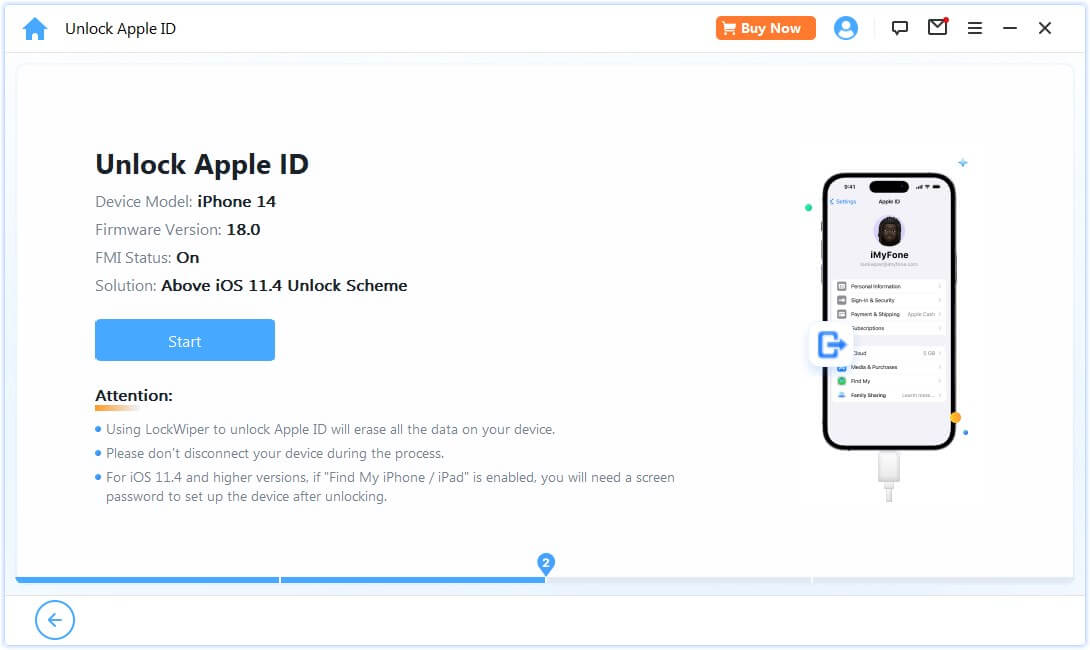
- Launch LockWiper and connect the device. Open LockWiper on your computer, connect the iPhone or iPad with a USB cable, unlock its screen, and tap Trust if asked.
- Choose Unlock Apple ID. Select the mode and start removal. Keep the device connected while LockWiper checks its status and follows the applicable process.
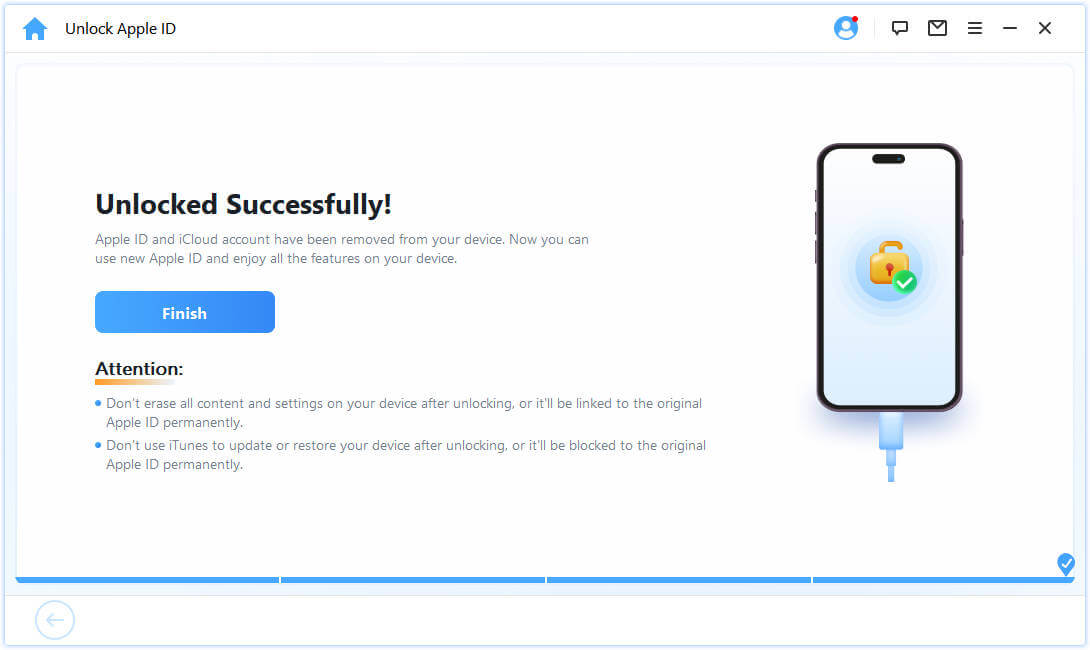
- Set up your account. Once removal finishes and the device restarts, complete the onscreen setup and sign in with the Apple Account you want to use.
2 Factory Reset Through Settings
This route is simple, but the condition is non-negotiable: Find My must already be off. If you cannot confirm that, do not erase the phone and hope for the best. You could land on an Activation Lock screen asking for the same old account.
Here's how to do it:
- Back up any photos, contacts, notes, or files you need and are authorized to keep.
- Open Settings > General > Transfer or Reset iPhone (or iPad).
- Tap Erase All Content and Settings.
- Enter the device passcode when requested, review the warning, and confirm.
- After the erase, set up the device and sign in with your preferred Apple Account.

Important
A factory reset erases local content and settings. It does not bypass Activation Lock. If setup requests the previous owner's account, the activation link was not removed.
If Settings cannot finish the erase, Recovery Mode is the next route. Its own condition is just as strict.
3 Use Recovery Mode
Use Recovery Mode when Settings cannot complete the erase or the device needs a full restore. Again, this works for the goal of removing local account data only when Activation Lock is already off. Recovery Mode does not switch it off.
Here's how to do it:
- Connect the iPhone or iPad to a Mac or Windows PC.
- Open Finder on a compatible Mac, or Apple Devices/iTunes on Windows.
- Put the device into Recovery Mode using the button sequence for its model.
- When the computer offers Update or Restore, choose Restore.
- Wait while the computer downloads the software, restores iOS or iPadOS, and erases the device.
- Complete setup and sign in with your chosen Apple Account.


iMyFone LockWiper
Stuck on Activation Lock? LockWiper offers a simpler way to bypass the lock and regain access to your device.
Those three methods cover a device in your possession. If the iPhone itself is missing, protect the account instead of trying to free the phone from it.
How to Sign Out from Apple ID on Your Stolen iPhone
If your own iPhone was stolen, the priority changes. You are not trying to make the phone usable for someone else—you are trying to protect your data and keep Activation Lock working against the thief.
Act quickly, but do not panic-remove the phone from your account. Apple lets you sign in to Find Devices on the web without entering a verification code, which matters when the missing iPhone was your trusted device. Lost Mode locks the phone and can suspend payment cards and passes associated with it.
- Go to iCloud.com/find or open Find My on another Apple device.
- Select the missing iPhone and choose Mark as Lost. Add contact information only if it is safe to do so.
- If the phone is unlikely to be recovered, choose Erase This Device. An offline erase begins the next time the phone connects.
- Do not remove the stolen iPhone from Find My. Removing it disables Activation Lock and makes the device easier for a thief to resell.
- Review your Apple Account security information and device list. Change the password if you see changes you did not make.
Once the missing device is secured, there is one more account-level step worth taking—especially if you think someone may know your credentials.
How to Change Apple ID Password on iPhone/iPad?
Apple ID is now called Apple Account, although the same email address or phone number and password still work. If the account signed in on the device is your own old account, changing its password is the cleanest official route.
- Open Settings and tap your name.
- Tap Sign-In & Security.
- Tap Change Password.
- Enter the device passcode and follow the onscreen instructions.
- Return to Settings and use the new password to sign out if needed.

If the trusted-device route is unavailable, visit iforgot.apple.com or use the Apple Support app on a borrowed Apple device. Account recovery may take longer without a trusted device or trusted phone number. Stolen Device Protection can also impose a security delay before critical changes.
Do not confuse the device passcode with the Apple Account password. The passcode proves that you can unlock the iPhone; Apple may accept it as part of a trusted-device password change, but it does not give you ownership of somebody else's account. If the name and email in Settings are not yours, skip password recovery and return to the eligible LockWiper route.
Note
This route is only for your account. Do not try to reset a previous owner's password. If their account remains on an activated device and they cannot be reached, check whether the device meets LockWiper's conditions.
FAQs
Can You Force Sign Out of Apple ID?
There is no universal force-sign-out button in Settings. On an eligible activated device, LockWiper can remove the signed-in account without its password. Otherwise, use a Settings reset only when Find My is off, or Recovery Mode only when Activation Lock is already disabled.
Can a Factory Reset Remove the Previous Owner's Apple ID?
A factory reset erases the phone, but it does not remove Activation Lock when Find My is still linked to the previous owner's account. Confirm that the activation link is off before resetting; otherwise, setup will request the same account again.
What Happens If I Sign Out of My Apple Account?
iCloud syncing for that account stops on the device, and data stored only in its iCloud may no longer be available locally. Apple services may ask for the new account. Signing out on one device does not delete the Apple Account itself.
Conclusion
Knowing how to remove Apple ID from iPhone starts with choosing the right method for your device. You can reset it through Settings when Find My is off or use Recovery Mode after Activation Lock has been disabled. The catch? Both methods erase your data.
For a simpler option, iMyFone LockWiper can remove an old Apple Account from an eligible, activated iPhone or iPad without its password. Whether you forgot your own login or cannot reach the previous owner, LockWiper gives you a clear, guided way forward. Check your device compatibility and try it free today.


Melvin Cooper has over 10 years of experience in the technology industry and is an expert at providing tips and handy solutions to Apple and Android users. Dedicated to helping millions of users improve their experience with mobile devices, he has maintained an impressive record of solving problems.
-
[2026] How to Use iforgot.apple.com Unlock Apple ID?
iforgot.apple.com can unlock Apple ID and reset Apple ID password. Let's see how it works to help you regain control of your device.
3 mins read -
How to Use 3uTools MDM Bypass & Its Alternatives [ 2026 ]
How to use 3uTools MDM bypass tool? This article gives a full review of how to bypass MDM with 3uTools and its best alternatives as well.
3 mins read -
What Is iOS 18 iPhone Inactivity Reboot Feature? How Does It Work?
Do you know the feature of iPhone inactivity reboot after 3 days in iOS 18.1? What is it and how does it work? This article tells you all!
2 mins read -
[2026] 4 iPad Unlock Software [Free Way Included]
Looking for solutions to unlock ipad for free? This post introduce 4 ipad unlock software,including the free ipad unlock tool to you. Check it out!
4 mins read -
[2026] What Is iOS Account Manager & How to Remove It
What is iOS Account Manager? Can I remove it? This guide will explain what does iOS Account Manager mean and provide steps for you to remove it with ease.
3 mins read -
How to Fix This Apple ID Is Not Valid or Supported
This guide focuses on explaining and resolving why this apple id is not valid or not supported issues to help you fix Apple ID not working on iPhone problems.
3 mins read
Was this page helpful?
Thanks for your rating
Rated successfully!
You have already rated this article, please do not repeat scoring!