

















 Shop
Shop


iMyFone AnyTo Pokémon GO Spoofer
Play safely without risky mods. AnyTo gives you clean, secure GPS spoofing on official Pokémon GO. No modified apps, no bans, just smooth teleporting and walking. Try AnyTo free and stay protected!
iSpoofer is an app designed for iOS devices that allows you to "spoof" or fake your GPS location in Pokémon GO.
Since iSpoofer is a modified Pokémon GO app, it has always been a prime target for the game's anti-cheat system. So, this guide will go beyond just sharing download links and installation steps. We'll explore the tool's stability, its safety, and provide secure alternatives. Most importantly, we'll share essential tips to spoof your location without getting your account banned.

In this article:

Does iSpoofer Still Work?
No, iSpoofer is not working currently. As of this guide's publication, the service remains offline. The same is true for Spoofer Go, another popular modded app.
You can still download both apps, but they fail at the login stage with an "account authentication failed" error. This problem has persisted for weeks, and the developers have not yet found a solution. I tested them myself on an alternate account, and both failed. The official Pokémon GO app, however, logged in without any issues.

Is iSpoofer Safe?
No, using iSpoofer for Pokémon GO isn't safe.
Firstly, it's a mod. Pokémon GO can detect mods by checking if the game app itself has been altered. It constantly runs self-checks to make sure its code is intact and hasn't been tampered with.
Modded apps like iSpoofer and iPoGo, however, work by breaking this seal and disabling these self-checks. If a modded app misses one of these new checks, the game reports it back to Niantic/Scopely, which can lead to a ban.

Secondly, iSpoofer itself offers no special anti-ban protection. Yes, it includes a cooldown timer and may bypass some basic checks, these features are not enough. The app cannot hide its own modified code from the game's developers.
iSpoofer Alternative iMyFone AnyTo
AnyTo keeps your Pokémon GO gameplay safe with clean, untampered location spoofing. No modified apps, no hidden files, just stable, low-risk teleporting and movement. Try AnyTo free today!
How to Download iSpoofer on iOS
Method 1 Direct download
This method is simple and requires no computer.
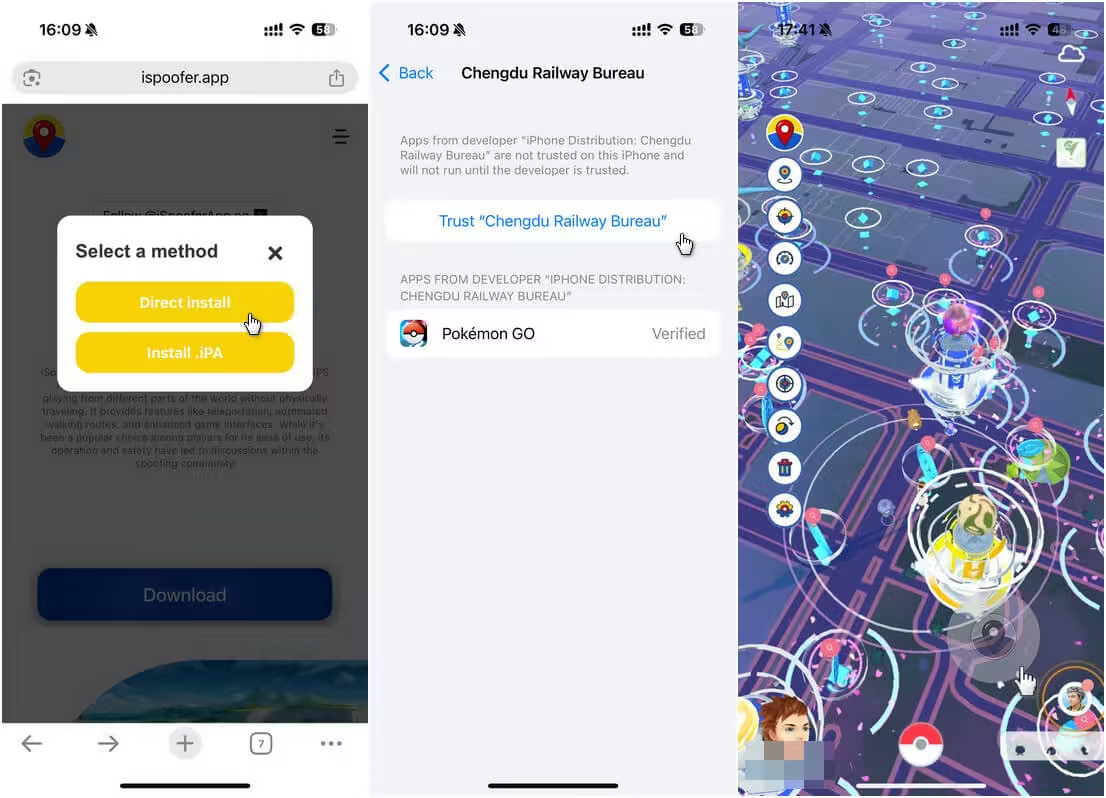
Step 1. Just visit iSpoofer's official website and tap "Download," followed by "Direct Install."
Step 2. You may be redirected to an advertisement page. Wait a few seconds, and the modified Pokémon GO app will appear on your phone's home screen.
Step 3. Trust the app in Settings → General → VPN & Device Management.
Method 2 Install iSpoofer IPA
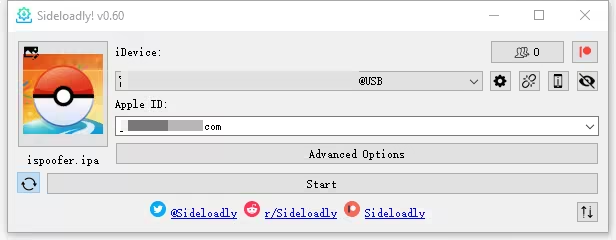
This method a computer and special software to install the app on iOS.
Step 1. Download the iSpoofer IPA file from its official website to your computer.

Step 2. Connect your iPhone with a USB cable.
Step 3. Use a tool like Sideloadly to install the modified application onto your device.
Best Alternative to iSpoofer Pokemon GO
The best iSpoofer alternaive in 2026 is iMyFone AnyTo.
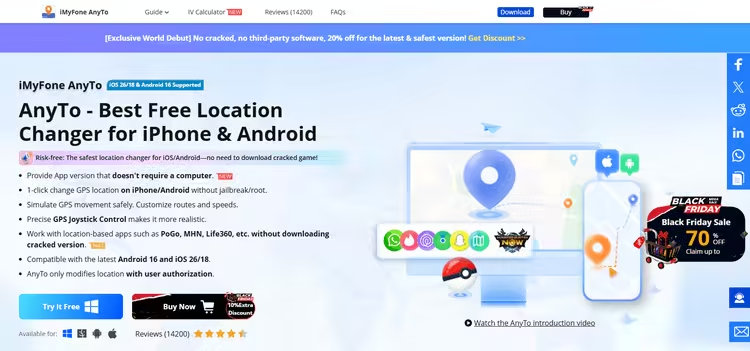
It is a feature-rich Pokémon GO spoofing app for both iOS and Android users (iOS 26.4 and Android 16 supported). What makes it better is that you can use it with the official Pokémon GO app and don’t have to jailbreak your iPhone to stay safe.
It uses Bluetooth spoofing technique like iTools Bluetooth 2.5, using your computer as an external GPS antenna, so Pokémon GO won't detect your fake GPS. You can also spoof without using a computer with further setup.


AnyTo's Key Features
- Teleport without distance limit, walk with a joystick, or generate a route to auto-walk.
- Smart auto-cooldown system to tell you how long to wait after teleporting.
- Auto-raid helper lets you join raids quickly without wasting remote passes.
- Auto Rocket Battle assistant to speed through Grunt encounters.
- Enhanced throw function to ensure Excellent Throws and complete level 50 challenge easily.
- 100% IV scanner to help you instantly identify and catch hundos you spot on spawn maps.
- Built-in map to find raids, gyms, PokéStops, routes, and quests around the world.
Here's how to use iMyFone AnyTo
Step 1. Download and install AnyTo on your computer.
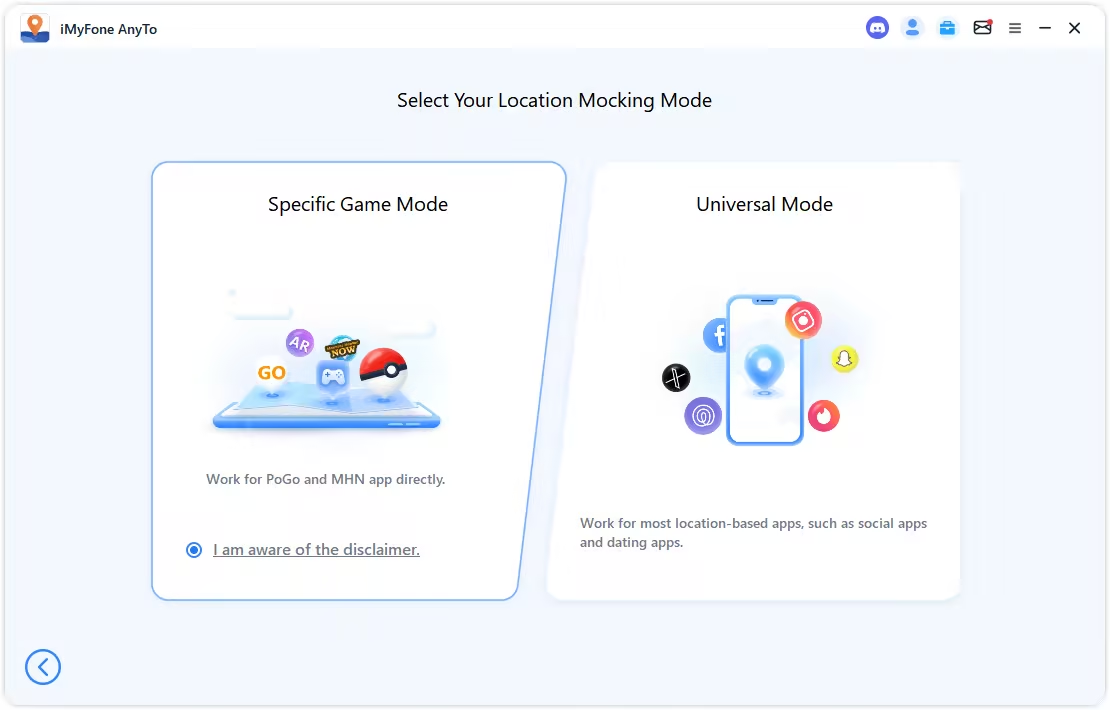
Step 2. Connect your phone via Bluetooth (recommended), WiFi, or USB, and then choose Game Mode to unlock more features for Pokémon GO.
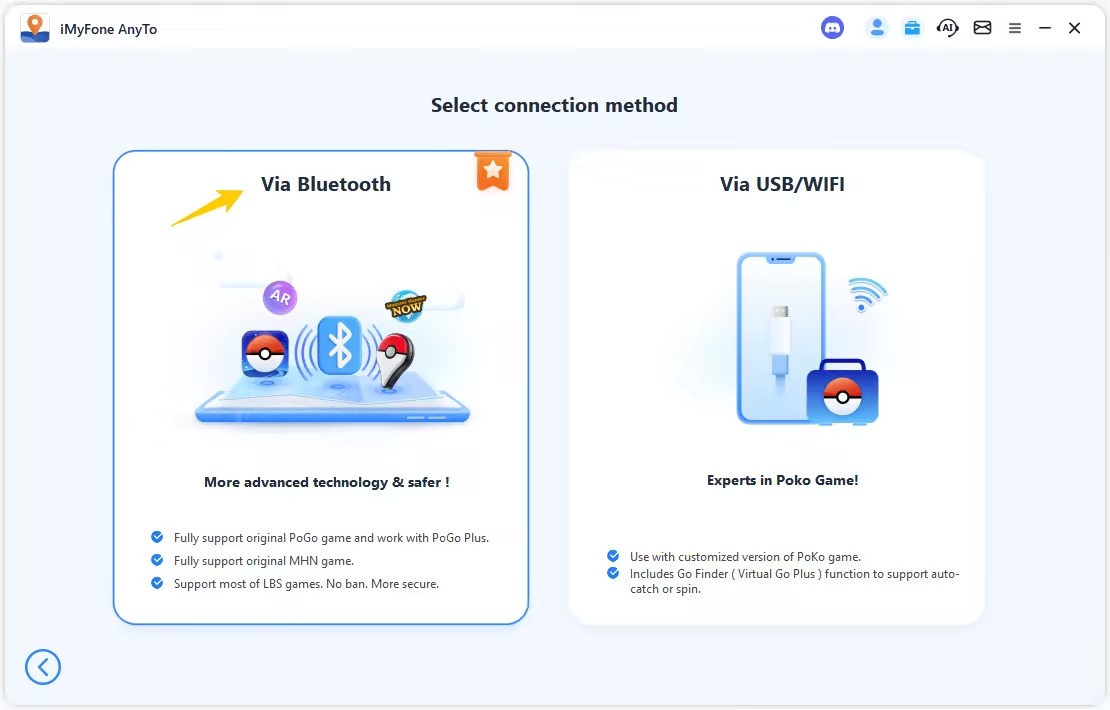
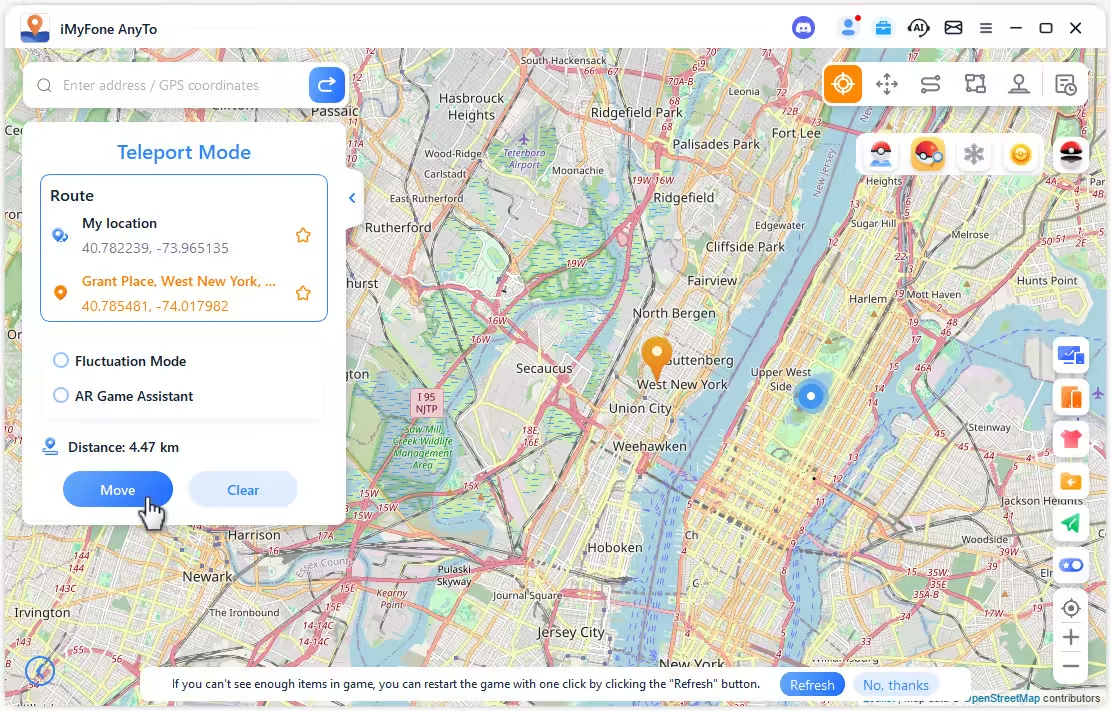
Step 3. Set your destination by tapping on the map, entering coordinates, or searching for a place. Then select Teleport Mode to change your location.
You can also change location in Pokémon GO without using a computer and walk in the game using an on-screen joystick:


Note
Our phones use a highly precise GPS chip, and spoofing that signal in Pokémon GO requires equally careful setup. Please follow the detailed guide step by step to set up.

 AnyTo Discord Server
Conclusion
In its prime, iSpoofer was a fantastic tool. It let you fake your GPS location, offered enhanced throws, automated Rocket battles, and provided many other useful Pokémon GO hacks. But the official game has evolved with frequent updates, and this once-great spoofer has struggled to keep pace. Without consistent patches, the service is now unreliable.
For those seeking a replacement, iMyFone AnyTo is a top contender. This alternative delivers similar features with superior anti-detection technology, making it one of the safest location-spoofing choices for Pokémon GO in 2026. Level up to 80 quickly and safely with AnyTo!


Spencer Hill has over 5 years of experience specializing in mobile screen mirroring and virtual location modification. As a senior editor at iMyFone, he creates user-friendly tutorials that help mobile users maximize their device functionality.
-
Jurassic World Alive Hacks 2026: Cheats That Still Work
What does Jurassic World Alive hack mean? What are the available Jurassic World Alive cheats in 2026? Can you actually cheat in JW Alive? Find the answers here!
7 mins read -
Forever Friends & Remote Trades: What You Need to Know
Find out how Forever Friends and Remote Trades work in Pokemon GO, how to become Forever Friends, and how this new feature affects everyone.
9 mins read -
AnyTo Plus – Safely Change iPhone Location Using Android (No Jailbreak Needed)
AnyTo Plus is a location changer that lets you spoof your iPhone GPS using an Android phone. Works with official Pokémon GO and MHN – no jailbreak required.
8 mins read -
Hyper Training Guide: Best Pokémon for Silver Bottle Caps in Pokémon GO
How does Silver Bottle Cap work in Pokémon GO? Which Pokémon should you use the Silver Bottle Cap on? Check out this ultimate Hyper Training guide!
8 mins read -
Pokémon GO Urban vs Rural Challenges: Tips for Rural Players
This article explore Pokémon GO's urban vs rural challenges, Niantic's needed fixes, and smart tips to help rural trainers level up their experience.
7 mins read -
How to Get Unown in Pokemon GO? [2026 Ultimate Guide]
Discover how to get Unown in Pokemon GO! Learn Unown shiny rates, spawn tips, full alphabet list, and the 5 best ways to find this ultra-rare Pokemon in 2026.
8 mins read
Was this page helpful?
Thanks for your rating
Rated successfully!
You have already rated this article, please do not repeat scoring!