














 Shop
Shop
How to Transfer WhatsApp Messages to a New Phone (iOS 27 & Android Compatible)
Category: Transfer WhatsApp

5 mins read
Upgrading to a brand-new smartphone—whether you're unboxing the cutting-edge iPhone 18 series running iOS 27 or picking up a sleek new flagship Android—is always an exhilarating experience. However, setting up a new device brings an all-too-common nightmare for millions of users: How do you transfer your WhatsApp messages without losing anything?
Over years of use, your WhatsApp becomes a vault of irreplaceable memories and critical files—making data loss during a phone upgrade devastating. Because official cross-platform transfers (iOS ↔ Android) are notoriously slow, buggy, and complex, iMyTrans from iMyFone provides a fast, 1-click solution to seamlessly migrate all your data with zero friction.
In this article:
Why Standard WhatsApp Transfer Methods Fall Short
Before attempting a transfer, it is crucial to understand why built-in cloud backup methods frequently fail users during phone upgrades:
- Cross-Platform Roadblocks: Native cloud backups rely on incompatible ecosystems—iCloud for iOS and Google Drive for Android. Neither system natively reads the other's format during a direct transfer.
- Risk of Overwriting Data: Restoring from a cloud backup often overwrites existing WhatsApp data on your new target phone, making it impossible to merge chat histories safely.
- Unexpected App Crashes & Freezes: Large chat databases filled with gigabytes of media routinely cause standard transfer apps to crash halfway through, leaving data corrupted or partially transferred.
- Privacy Vulnerabilities: Uploading unencrypted chat archives to public cloud storage exposes sensitive financial, personal, and business data to potential cloud leaks or unauthorized access.
Why iMyTrans is the Best WhatsApp Transfer Solution
iMyFone's iMyTrans is an all-in-one WhatsApp management software specifically engineered to overcome OS barriers, recover lost data, and provide complete peace of mind.
- Transfer WhatsApp & WhatsApp Business data including message from iOS to Android in 1-clcik.
- Next-Gen Device & OS Compatibility: Fully updated with native support for iOS 27, the iPhone 18 series, and all leading Android phone brands (Samsung, Google Pixel, Xiaomi, OnePlus, Motorola, and more).
- Local Backups: Create full, encrypted backups of WhatsApp and WhatsApp Business to your PC/Mac without relying on paid cloud subscriptions.
- Selective Data Recovery: Preview and selectively restore deleted or archived WhatsApp even WhatsApp Business messages without wiping your device.
| Feature | Standard Cloud Backups | iMyFone iMyTrans |
|---|---|---|
| Cross-OS Transfer (iOS ↔ Android) | ❌ Restricted / Complex | ✅ 1-Click Direct Transfer |
| Data Overwrite Risk | ⚠️ High Risk | ✅ Zero Overwrite Guarantee |
| iOS 27 & iPhone 18 Support | ⚠️ Varies by OS version | ✅ 100% Fully Optimized |
| Local Selective Recovery & Backup | ❌ Not Supported | ✅ Free Backup & Selective Restore |
Step-by-Step Guide: How to Transfer WhatsApp Messages in 1 Click
- Step 1. Install iMyFone iMyTrans on your computer and launch the program. Choose the first icon (Transfer) which is located in the left bar. Connect the iPhone and the Android device for transfer to the computer with USB cables. Besides, you can click "Flip" to change source device and traget device.


Note
The program should detect and display the devices. Follow the instructions on the screen.
- Step 2. Click on "Transfer" in the right below corner, to begin the process.
- Step 3. Keep both devices connected to the computer during the transfer. It might take minutes to hours depending on the amount of WhatsApp data. You can transfer your photos, videos, files, music and wallpaper.
- Step 4. By clicking on the second icon (backup) you can also quickly backup your existing Whatsapp data to the iMyTrans program (we care about our customers' privacy and this data will be saved only in your local device, to which we do not have access). This is to prevent data loss.
- In addition, by clicking on the third icon (Restore/Export) you can view information about the data backed up for each time period and preview it before exporting.


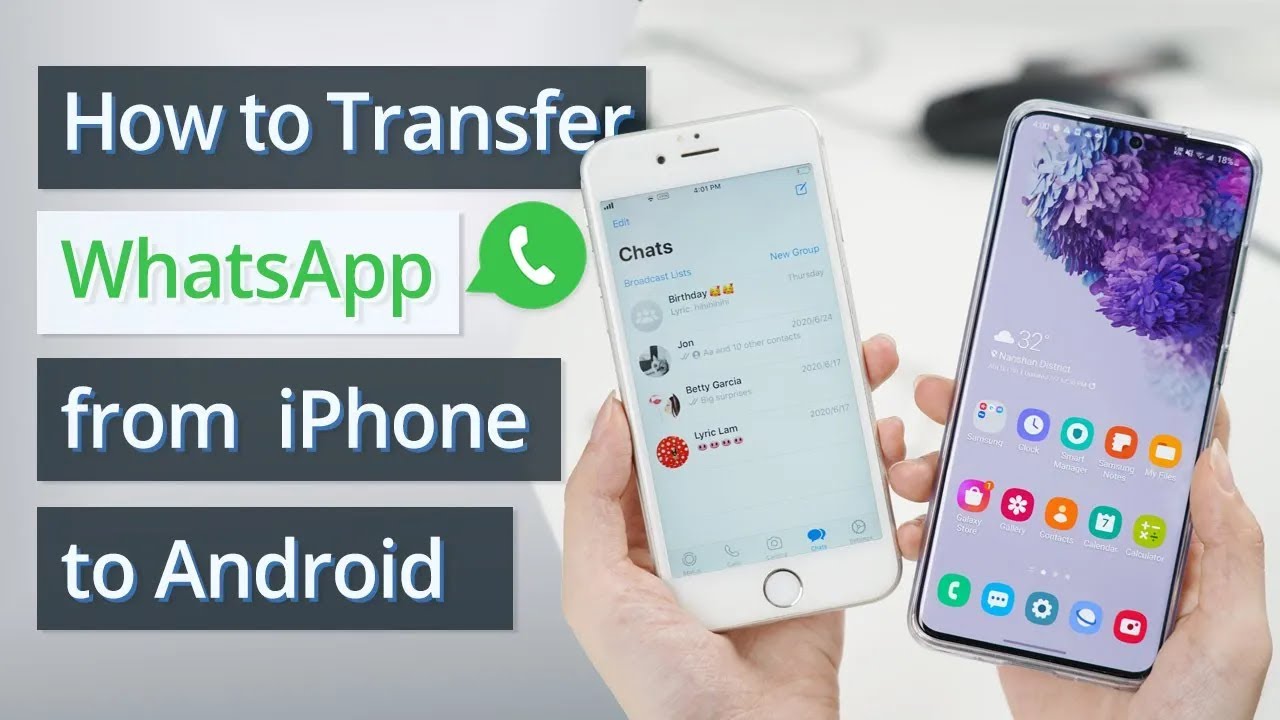
You can watch this video to learn how to transfer WhatsApp data from iPhone to Android quickly. The secret to an easy-peasy transfer process lies with iMyFone iMyTrans (new version of iTransor for WhatsApp) that transfer WhatsApp data directly.
Final Verdict: Upgrade Your Phone Without Losing Your Memories
Don't let rigid operating system boundaries or slow cloud transfers keep you from enjoying your new smartphone. Whether you're upgrading to the latest iPhone 18 running iOS 27 or making the jump to Android, iMyFone iMyTrans ensures every single message, photo, and voice note travels with you safely.
👉 Click Here to Download iMyFone iMyTrans Free Trial and secure your WhatsApp chats in 1 click!


(Click to rate this post)
Generally rated 4.8 (256 participated)

Rated successfully!

You have already rated this article, please do not repeat scoring!