















 Shop
Shop


iPhone update problems shouldn’t leave you stuck. Fixppo helps repair failed updates, crashes, freezing, and other iOS system issues, giving you a straightforward way to get your iPhone working normally again.
An iPhone update can improve security, add features, and keep important apps working. It can also be followed by battery drain, heat, lag, app crashes, connectivity trouble, or an installation that never finishes. That tension explains why searches for iPhone update problems often mix two questions: How many people are updating, and how many people are having trouble afterward?
This report separates those questions. It reviews Apple documentation, measured iOS adoption data, a survey with a published methodology, established technology reporting, and version-specific community discussions. The evidence can show which concerns recur and how adoption differs by method.

Key iPhone & iOS Statistics
- 79% of all iPhones in Apple's snapshot used iOS 26; the figure was 86% for iPhones introduced in the previous four years.
- 78% of respondents said they had updated to iOS 26.
- 72% reported at least one concern. Battery life (24.2%) and performance (23.8%) led the selected concerns.
- 38.8% said they update immediately, while 27.2% wait to see whether other users report problems.
- In August 2026, iOS 26.6 represented 41.37% and iOS 26.5 represented 35.89% of measured U.S. mobile iOS web traffic.
How Common Are iPhone Update Problems?
iPhone update problems generally fall into three groups: an update that cannot be installed, temporary behavior while the device finishes background work, and persistent problems that continue after installation.
1 What Apple Officially Recognizes as Update Failure Scenarios
Apple identifies five broad reasons an over-the-air update may fail:
- The device does not support the newest software
- Storage is insufficient
- The download takes too long
- The device cannot reach or verify with the update server
- Installation does not complete
An unsupported model cannot install software designed for newer hardware. Limited storage can prevent the package from downloading or expanding. A slow or restricted network can interrupt server access. Power loss can stop installation.
2 Temporary Post-Update Behavior vs. Persistent Problems
Some behavior immediately after an update may settle as background work finishes.
Temporary Post-Update Behavior
- Higher-than-usual battery use during the first few days
- The iPhone feels warmer while background update work continues
- An Ongoing iOS Update insight appears in Settings > Battery
- Temporary Photos, Spotlight, or Siri indexing activity
- Short-lived app launch or loading delays
Persistent Problems
- Battery drain or unusual heat continues after several days
- Repeated restarts, freezing, black screens, or unresponsive controls
- The update repeatedly fails to download, verify, or complete
- The iPhone remains on the Apple logo or recovery screen, or cannot start
- Native Apple apps and unrelated third-party apps repeatedly fail
- Wi-Fi, cellular, or Bluetooth problems persist after a restart
- Calling, charging, authentication, or other essential functions remain unusable
The Most Common iPhone Problems Reported in 2026
Battery drain had the clearest cross-source footprint in 2026, while performance loss, lag, freezing, and overheating formed another recurring group of post-update complaints.
1 Battery Drain: The Most Visible Post-Update Concern
Battery drain means how quickly current charge is consumed. An update can trigger background processing without suddenly aging a healthy battery, while an older battery can make increased workload more noticeable.
In SellCell's survey, 24.2% selected battery life as something that put them off updating.
Community feedback in r/iOS 26 showed different battery outcomes across iOS 26 updates.
- iOS 26.4 caused higher standby battery drain for some users, though resetting Network Settings appeared to help in some cases.
- iOS 26.5 drew complaints about faster battery drain and overheating, even during light use.
- With iOS 26.5.2, users reported heavier overnight drain, shorter battery life, and more frequent charging.
In the MacRumors battery thread, a direct user comparison indicated that iOS 26.6 RC delivered lower overnight drain and better idle battery life than iOS 26.5.2.
Overall, the reviewed feedback suggests that battery complaints became especially visible around iOS 26.5 and 26.5.2, while some users reported improvement after moving to iOS 26.6.
2 Performance, Lag, Freezing, and Overheating
Across iOS user communities, including r/ios26/ and Apple Community, the same symptoms keep showing up again and again.
- UI stutters and delayed touch or keyboard input
- Apps freezing, closing unexpectedly, or opening slowly
- Black screens, lock-screen freezes, and intermittent unresponsiveness
- The iPhone becoming warm or hot during light use
Fixppo repairs underlying iOS system issues to help restore smoother performance without complicated troubleshooting.
How Quickly Did Users Adopt Different iOS Versions?
iOS adoption has not followed the same pace in every release cycle. Historical snapshots show how quickly users moved during the first days after launch, while newer version-share data shows how the installed base remained divided months later.
1 iOS Adoption 10 Days After Release
Early adoption slowed across these three historical releases. More than 60% of users had installed iOS 7 within 10 days, compared with 29% for iOS 11 and 21% for iOS 12.
| iOS Version | Adoption 10 Days After Release |
|---|---|
| iOS 7 | More than 60% |
| iOS 11 | 29% |
| iOS 12 | 21% |
Source: Statista, based on Mixpanel data
2 Recent iOS Version-Share Snapshots
By June 2026, iOS 26 accounted for 69.69% of worldwide Apple mobile traffic measured in the dataset, while iOS 18 accounted for 17.97%. A separate U.S. snapshot from January 2026 showed iOS 18.7 at 30.43% and iOS 26.2 at 25.56%.
| Scope | Snapshot | Version | Share |
|---|---|---|---|
| Worldwide Apple mobile traffic | June 2026 | iOS 26 | 69.69% |
| Worldwide Apple mobile traffic | June 2026 | iOS 18 | 17.97% |
| U.S. Apple mobile traffic | January 2026 | iOS 18.7 | 30.43% |
| U.S. Apple mobile traffic | January 2026 | iOS 26.2 | 25.56% |
Sources: Worldwide iOS version share and U.S. iOS version share, published by Statista using StatCounter data
These snapshots show that adoption can vary sharply by release, region, measurement date, and version level. Survey responses help explain why some iPhone users update immediately while others wait.
Why Do iPhone Users Delay Software Updates?
A SellCell survey of 2,000 U.S. adult iPhone users recorded their concerns about iOS 26 and their usual update behavior.
1 Battery and Performance Lead the Surveyed Concerns
Among all 2,000 respondents, 72% selected at least one concern. Battery life was selected by 24.2%, performance by 23.8%, dislike of Liquid Glass design or readability by 17.5%, difficulty reverting by 15.0%, and bugs or broken features by 11.4%. Respondents could select multiple answers, so these percentages overlap.
| Concern About Updating | Respondents |
|---|---|
| Battery life | 24.2% |
| Performance | 23.8% |
| Liquid Glass design or readability | 17.5% |
| Difficulty reverting to an earlier version | 15.0% |
| Bugs or broken features | 11.4% |
Source: SellCell survey
2 Waiting for Other Users Is a Deliberate Strategy
In the survey, 38.8% said they update immediately when prompted and 27.2% wait to see whether other users report problems. Another 13.4% assumed updates happen automatically, 9.5% dismissed reminders, 5.2% updated only when an app stopped working, and 4.3% waited several months.
| Update Behavior | Respondents |
|---|---|
| Update immediately when prompted | 38.8% |
| Wait to see whether other users report problems | 27.2% |
| Assume updates happen automatically | 13.4% |
| Dismiss update reminders | 9.5% |
| Update when an app stops working | 5.2% |
| Wait several months | 4.3% |
Source: SellCell survey
What Are the Best and Worst iOS Versions?
Every major iOS generation has had documented problems, but the type and visibility of those problems varied. The table below summarizes prominent issues recorded in the Issues relating to iOS reference in Wikipedia, supplemented by the current report's sourced iOS 26 findings.
1 Common Problems Reported From iOS 4 to iOS 26
| iOS Version | Commonly Documented Problems |
|---|---|
| iOS 4 | Alarm failures around daylight-saving and New Year date changes; excessive retention of location-related cache data |
| iOS 5 | Battery drain, lost Wi-Fi access, SIM errors, and call echo |
| iOS 6 | Inaccurate Apple Maps data, Bluetooth audio interruptions, cellular problems, Do Not Disturb scheduling errors, Exchange load, and lock-screen bypass flaws |
| iOS 7 | Lock-screen bypasses, motion discomfort, battery drain, home-screen crashes, frozen battery indicators, and Touch ID failures |
| iOS 8 | HealthKit launch problems, loss of cellular service and Touch ID after iOS 8.0.1, poor performance on older devices, keyboard failures, and message-triggered crashes |
| iOS 9 | Slow Game Center loading, date-related boot failure, Error 53, bricked iPad updates, slower iPhone 4S performance, and Bluetooth call problems |
| iOS 10 | Devices entering recovery mode during update, unexpected shutdown near 30% battery, and crashes triggered by a short video file |
| iOS 11 | Calculator input errors, Mail compatibility problems, autocorrect substitutions, date-triggered resprings, character-triggered crashes, and reduced battery life |
| iOS 12 | Group FaceTime privacy bug, iMessages sent to the wrong contacts, update incompatibility, and a reintroduced jailbreak vulnerability |
| iOS 13 | Battery drain, aggressive memory management that closed background apps, frequent early point updates, and device-update problems |
| iOS 14 | Missing Spotlight keyboard, default browser and mail selections resetting after restart, and battery drain |
| iOS 15 | No dedicated issue section appears in the supplied historical issue index; Digital Trends characterized it as a comparatively stable, refinement-focused release |
| iOS 16 | Activation and Wi-Fi problems, camera shaking or slowdown, repeated paste prompts, missing notifications, CarPlay microphone faults, display lines, storage errors, and Screen Time problems |
| iOS 17 | iPhone 15 Pro heat, NFC interference after some in-car wireless charging, display image persistence, unexpected shutdowns, typing and app-switcher bugs, boot loops, and deleted photos reappearing |
| iOS 18 | The supplied historical issue index explicitly notes that its iOS 18 coverage is incomplete, so it does not support a reliable version-wide problem summary |
| iOS 26 | Battery drain, overheating, lag, freezing, app instability, connectivity problems, update failures, and boot or recovery states reported across the sources reviewed in this report |
Source: Wikipedia
The historical record shows how the problem mix changed across generations. For recent releases, adoption levels and current user feedback provide a clearer comparison of which versions were received most and least favorably.
2 What Was the Worst iOS Version?
iOS 26 is the strongest candidate for the worst recent iOS release. Its adoption trails iOS 18 in both combined iPhone-and-iPad traffic and Apple's iPhone-only snapshot, while recent user discussions repeatedly favor staying on iOS 18.

The table reports cumulative usage: each percentage includes devices running that version or a newer one. The figures combine iPhone and iPad web traffic and were updated on August 11, 2026.
| Version | Released | Cumulative Usage |
|---|---|---|
| iOS 27 Beta | 2026 | 0.5% |
| iOS 26 | 2025 | 73.7% |
| iOS 18 | 2024 | 90.4% |
| iOS 17 | 2023 | 93.0% |
| iOS 16 | 2022 | 96.2% |
| iOS 15 | 2021 | 98.2% |
| iOS 14 | 2020 | 98.3% |
| iOS 13 | 2019 | 98.3% |
| iOS 12 | 2018 | 98.7% |
| iOS 11 | 2017 | 99.7% |
| iOS 10 | 2016 | 99.8% |
| iOS 9 | 2015 | 99.8% |
| iOS 8 | 2014 | 99.8% |
| iOS 7 | 2013 | 99.9% |
| iOS 6 | 2012 | 99.9% |
| iOS 5 | 2011 | 99.9% |
| iOS 4 | 2010 | 99.9% |
| iOS 3 | 2009 | No data |
| iOS 2 | 2008 | |
| iOS 1 | 2007 |
Source: iOS Ref
The iOS 26 adoption rate had reached 73.7% of combined iPhone and iPad traffic, while 90.4% had reached iOS 18 or later. This leaves a 16.7-point gap between the iOS 18-or-later and iOS 26-or-later groups, showing that a meaningful share remained on iOS 18.
For iPhones alone, Apple's June 2026 App Store-transaction snapshot placed iOS 26 at 79%, compared with 82% for iOS 18 at the comparable June 2025 snapshot. In that iPhone-only historical series, iOS 17 was lowest at 77%, while iOS 26 was second-lowest.
Recent Reddit threads show the strongest current negative sentiment around iOS 26. Users who advised staying on iOS 18 most often cited battery drain, heat, lag, visual instability, and dislike of Liquid Glass. Other users reported that later iOS 26 builds had improved, ran smoothly, or delivered good battery life on their devices.
Overall, iOS 26 is the strongest candidate for the worst recent iOS release in the reviewed evidence because it combines slower adoption than iOS 18 with sustained negative user discussion.
3 What Was the Best iOS Version?
iOS 18 is the strongest candidate for the best recent iOS release. The iOS usage table above shows that 90.4% of combined iPhone and iPad traffic had reached iOS 18 or later by August 11, 2026, while only 73.7% had reached iOS 26 or later.

For iPhones alone, Apple's comparable App Store-transaction snapshots also favor iOS 18 over iOS 26: 82% of all measured iPhones used iOS 18 in June 2025, compared with 79% using iOS 26 in June 2026. Among iPhones introduced during the previous four years, the figures were 88% for iOS 18 and 86% for iOS 26.
iOS 18 is also the clearest recent favorite in the community. Supporters repeatedly described its later releases as stable, smooth, familiar, and more dependable for battery life. In an August discussion about moving from iOS 18.7.8 to iOS 26.6.1, several users recommended remaining on iOS 18 or waiting for iOS 27.
Overall, iOS 18 is the strongest candidate for the best recent iOS release because both the combined-device usage data and iPhone-only adoption snapshots are stronger than iOS 26, while current users more often praise its stability and battery behavior.
These recent comparisons provide the context for iOS 27. Its beta feedback offers an early view of whether the next release is addressing the concerns associated with iOS 26 or introducing new ones.
iOS 27 Early Stability: What Users Are Reporting Before Release
At the August 31, 2026 research cutoff, iOS 27 was still pre-release. Apple announced in June that the software would be available as a free update in fall 2026.
Feedback across the later iOS 27 betas was mixed. Some testers reported smoother performance, better battery behavior, and resolved bugs, while others continued to report problems involving heat, the interface, apps, connectivity, charging, and audio.
| Early iOS 27 Theme | Status at August 31 Cutoff |
|---|---|
| Battery life and heat | Mixed reports across later betas |
| UI lag and visual glitches | Repeated examples alongside smooth-performance reports |
| App and web compatibility | Scattered app/browser reports |
| Connectivity and eSIM | Individual device/carrier reports |
| Charging and charge limits | Individual accessory/model reports |
| Audio and notifications | Scattered reports |
1 What Users Liked About iOS 27
Positive feedback picked up with later beta builds. Users reported smoother performance, better battery life on some devices, and fewer interface and connectivity bugs—signs that iOS 27 was heading in the right direction before release.
- Faster and smoother performance: Some Beta 5 testers described quicker animations, better responsiveness, and faster everyday operation in a heated Reddit discussion. Later beta threads also included users who considered their devices smooth despite continuing reports of lag from others.
- Better battery life on some devices: Individual users reported improved battery behavior in later builds. In the Beta 8 Reddit thread, some participants said Beta 7 had already improved their battery results.
- Fixes for earlier beta problems: Testers reported that some visual glitches and Wi-Fi interface problems improved in later builds.
2 What Users Disliked About iOS 27
Negative feedback remained spread across battery life, heat, performance, interface behavior, apps, connectivity, charging, and audio. Reports varied by beta version and device, but several categories were still appearing in discussions at the Beta 8 cutoff.
- Battery drain and heat: Beta 5 reports included battery-percentage irregularities and unusually high Safari battery use in MacRumors Forums and a Reddit discussion. Beta 8 users also continued to mention heat and uneven battery results.
- Lag, interface glitches, and app problems: Users reported stutters, delayed performance, visual glitches, keyboard problems, lock-screen freezes, app crashes, loading failures, Safari regressions, and slower web performance. The Beta 7 discussion included users who still noticed lag after earlier fixes.
- Connectivity, charging, and audio failures: Later-beta reports included an eSIM handoff problem, Power Delivery charging failure on an older iPhone, Charge Limit errors, missing notification sounds, and interrupted music playback. One user said the same charger worked on iOS 26.6.1 but failed after installing an iOS 27 beta.
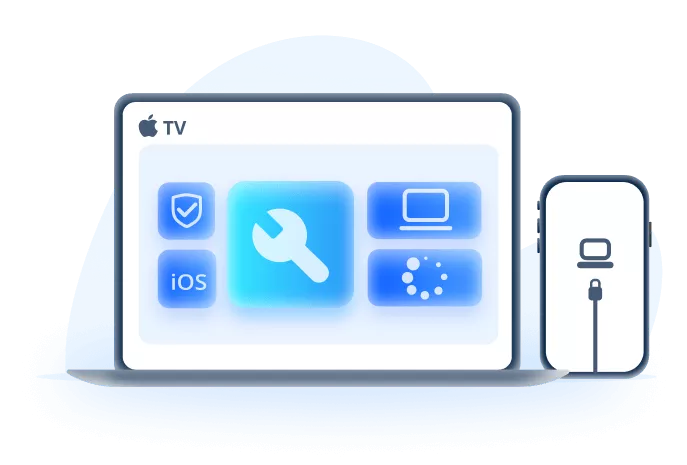
iMyFone Fixppo for Persistent System-Level Update Failures
- System-level repair: Targets supported iOS problems such as failed updates, boot loops, frozen screens, and recovery-mode states.
- Standard Mode first: Provides a less destructive repair option after backup and basic checks, before an erase-based restore.
- Matched firmware: Identifies compatible firmware automatically to reduce manual IPSW selection errors.
- Update and restore support: Addresses update, restore, and activation failures when the cause is system-related.
- Recovery tools: Includes Recovery Mode controls when an iPhone becomes stuck during update or recovery.
Methodology and Data Notes
The figures in this report come from sources with different time periods, geographic scopes, device populations, and measurement methods. The notes below identify how each dataset should be read.
- Research period: The core review covers September 15, 2025 through August 31, 2026. The iOS 27 findings reflect the beta status at the August 31 cutoff.
- Apple data: App Store transaction snapshots describe active devices that transacted with the store on the stated date.
- Usage data: iOS Ref and Statcounter estimate version share from their own combined-device or web-traffic datasets, so their percentages are not interchangeable with Apple's figures.
- Survey data: SellCell results describe answers from its stated U.S. respondent sample.
- Community reports: Reddit, Apple Community, MacRumors Forums, and other discussions document recurring experiences reported by iOS users.
- Pre-release status: iOS 27 beta behavior may differ from the release candidate and public version.
Conclusion: What This Report Means for iPhone Users
iPhone update problems are not limited to one release. Battery drain, heat, performance changes, app failures, connectivity issues, and interrupted installations appear repeatedly across historical records and current user discussions. At the same time, adoption data shows that most active iPhones eventually move to newer iOS versions, even when rollout speed varies from one generation to another.
For iOS 27, the pre-release picture remains mixed. Testers have reported smoother performance, better battery life, and fixes in later betas, while others continue to encounter battery, interface, charging, connectivity, audio, and app problems. Users who depend on their iPhone for work, travel, payments, or authentication may prefer to wait for the public release and early stability updates. Before installing any major update, back up the device, confirm available storage and app compatibility, and distinguish short-lived post-update activity from problems that continue or prevent the iPhone from working normally.


Melvin Cooper has over 10 years of experience in the technology industry and is an expert at providing tips and handy solutions to Apple and Android users. Dedicated to helping millions of users improve their experience with mobile devices, he has maintained an impressive record of solving problems.
-
iPhone Not Charging After iOS 27 Update? 10 Fixes [2026]
iPhone not charging after update? Diagnose charger, temperature, port, and iOS issues, then learn when Fixppo or Apple service is the right next step.
7 mins read -
How to Get iOS Beta on iPhone in 2026 (Full Guide)
Learn how to get iOS beta, install iOS 27 public or developer beta, remove it safely, and fix stuck beta update issues.
12 mins read -
Fix iPhone Stuck on Update Requested [iOS 27 Supported]
iPhone stuck on update requested? Learn why it happens and discover 8 proven solutions to get your iOS update back on normal without data loss.
3 mins read -
[2026 New] How to Stop iOS 27/26/18 Update in Progress?
How to stop iOS 27/26/18 update in progress when you feel like staying in the current iOS version? Here's how to do it via 4 methods.
3 mins read -
5 Ways for iOS 26 Beta Download [Developer & Public Beta]
How to get iOS 26 beta? Whether you want to download iOS 26 developer or public beta, you can find the suitable methods with our guide. 5 Ways here!
3 mins read -
17 Important Facebook Statistics You Should Know in 2026
Do you want to know some up-to-date Facebook statistics? We break down 17 must-know Facebook stats about demographics, engagement rate and more.
3 mins read
Was this page helpful?
Thanks for your rating
Rated successfully!
You have already rated this article, please do not repeat scoring!