













 Shop
Shop




Manage Your WhatsApp & LINE Data in One Place
iMyTrans provides a complete toolkit to transfer, back up, restore, and export WhatsApp, WhatsApp Business, GB WhatsApp, and LINE data across iOS, Android, Windows, and macOS.

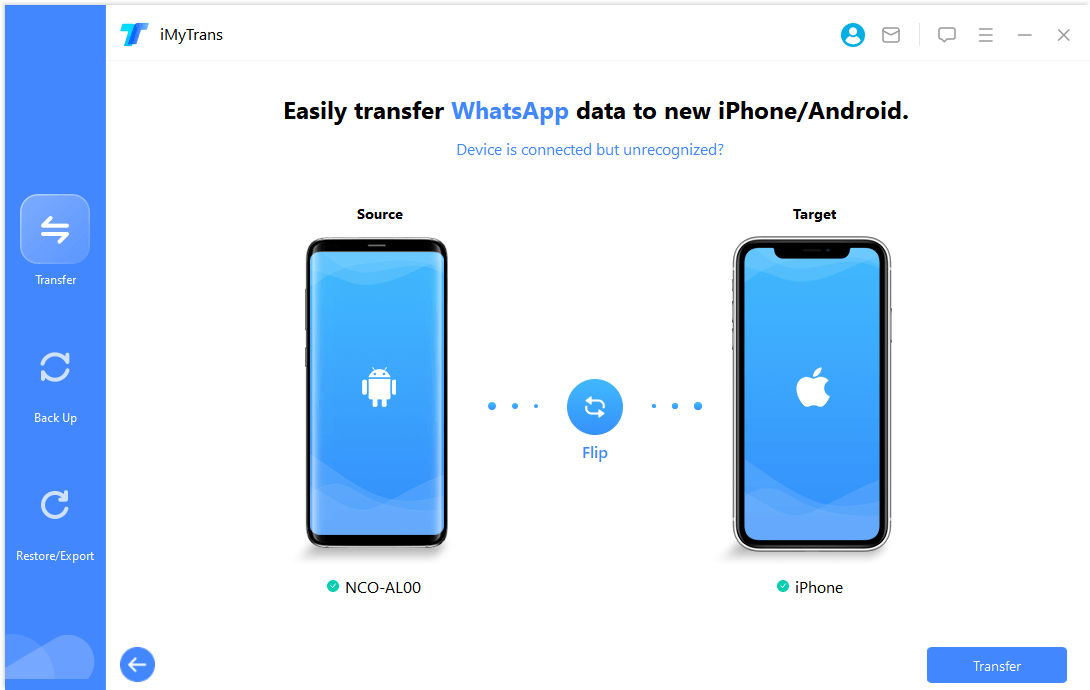
Transfer WhatsApp, WhatsApp Business, GB WhatsApp, and LINE data between iOS, Android, Mac, and Windows in one click. No technical knowledge required, and no factory reset needed — your existing data stays intact.
One-Click Transfer

Back up WhatsApp and LINE data to your computer with unlimited local storage. Rename and filter backups to quickly locate specific conversations, photos, or attachments.
Manage Backups

Restore WhatsApp, WhatsApp Business, GB WhatsApp, and LINE backups to any iOS or Android device. No operating system limitations, no backup overwriting — your existing data is preserved.
Flexible Restore

Preview WhatsApp and LINE data — including text messages, photos, videos, stickers, and documents — before exporting. Export individual chats or full conversations in HTML, PDF, Excel, or CSV format.
Preview & Export


Transfer Your WhatsApp and LINE with One Click

Transfer WhatsApp, WhatsApp Business, GB WhatsApp, and LINE messages and attachments — including texts, photos, files, and stickers — between Android phones, iPhones, and computers (Windows/macOS). Supports transfers between different phone numbers, which official methods like Move to iOS do not allow.
- Transfer WhatsApp backups directly from Google Drive to iPhone or Android
- Works with different phone numbers — no same-number restriction
- No factory reset required on either device

Restore WhatsApp & LINE Without Overwriting Existing Data
Restore WhatsApp, WhatsApp Business, GB WhatsApp, and LINE backups to your iOS or Android device. iMyTrans achieves a 99% success rate across tested device combinations, compared to frequent failures reported with Move to iOS and Samsung Smart Switch.
- Selectively restore LINE backups from iMyTrans — choose specific chats or attachments
- Retain existing social app data on your device after restoration (no overwriting)
- Restore from Google Drive backups directly to iPhone — no same-account restriction

Back Up WhatsApp and LINE Data to Your Computer
Back up photos, videos, audio, contacts, and messages from WhatsApp and LINE to your computer. Rename or filter backed-up messages and attachments for easy retrieval. All backups are stored locally on your computer — no cloud upload required, keeping your data private and secure.
- Preview backups from Google Drive and local storage before restoring
- Back up WhatsApp free of charge on iOS devices
- Backups are stored locally and never uploaded to external servers

Choose the Way You Prefer to Export Social App Chats
Export WhatsApp chats as they appear on your phone, or as structured log files. Export WhatsApp messages, contacts, photos, videos, and audio individually or as a complete conversation. Useful for legal documentation, business record-keeping, and personal archiving.
- Preview content before exporting to ensure accuracy
- Export photos, videos, audio, and contacts in HTML, PDF, Excel, and CSV formats
- Export individual conversations or full chat histories

Go Beyond Simple LINE Transfer
iMyTrans is a complete LINE transfer, backup, and restore solution. It is currently one of the very few tools that supports merging old and new LINE messages when transferring between Android and iOS.
- Transfer LINE data between Android and iPhone without overwriting the original data
- Merge old and new LINE messages between Android and iOS even with iOS 27
- Selectively restore LINE messages, photos, videos, GIFs, and documents
How iMyTrans Works
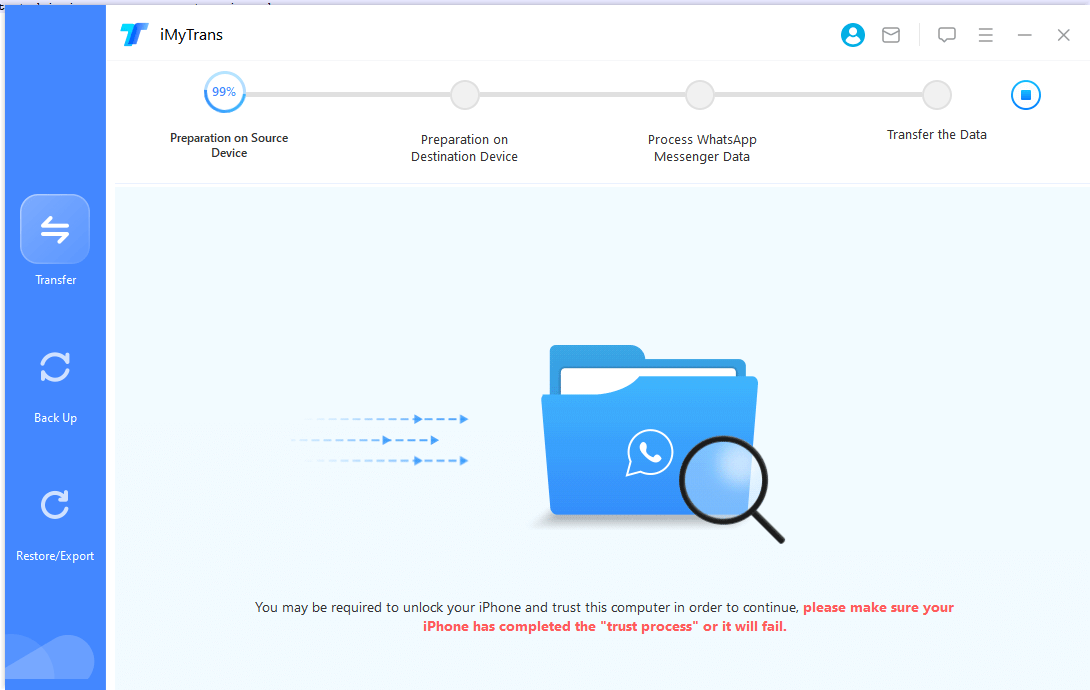
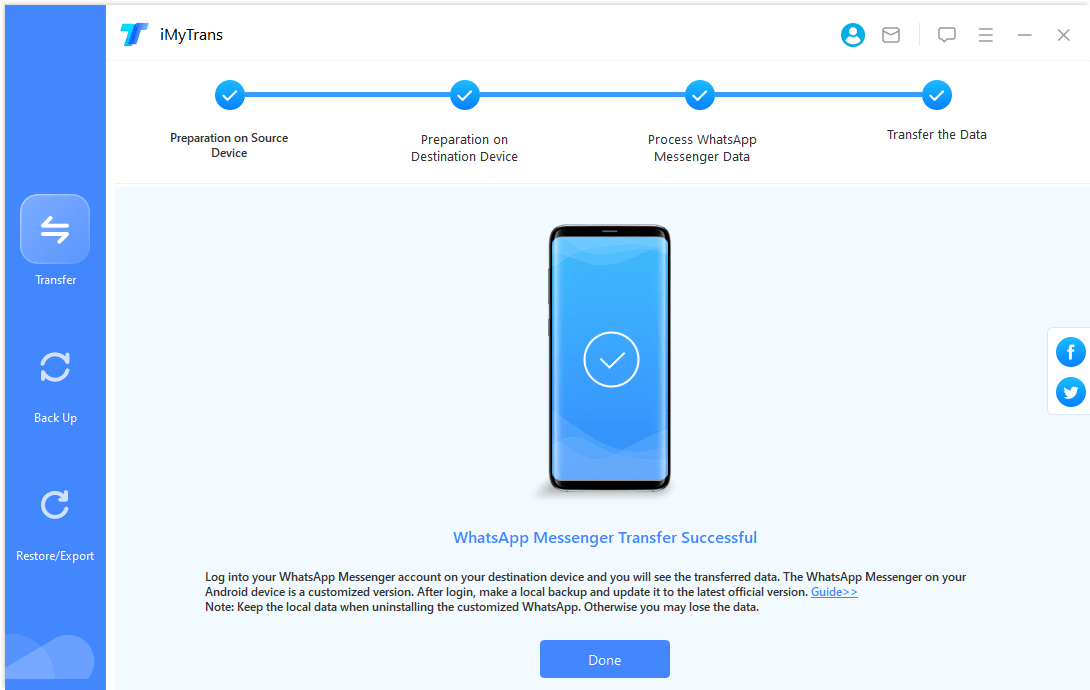
iMyTrans transfers, backs up, restores, and exports WhatsApp on Android or iPhone in 3 simple steps. Below is an example using WhatsApp transfer; the same process applies to backup, restore, and export. Compatible with iOS 27 and all previous iOS versions.
- Transfer WhatsApp
- Backup WhatsApp
- Restore WhatsApp
- Export WhatsApp
iMyTrans vs. Move to iOS vs. Samsung Smart Switch
| WhatsApp Transfer Comparison |

iMyTrans |

Samsung Smart Switch |

Move to iOS |
| Device Compatibility |
From Android to iPhone From iPhone to Android From Android to Android From iPhone to iPhone Support Android 5–16 of all brands Support iOS 27–9 |
From Android to Samsung (Android 10 or higher) From iPhone to Samsung (Android 10 or higher) |
Android to iPhone (iOS 15.5 or later)
|
| Factory reset (Wipe device data) |
Not required
|
Required
|
Required
|
| Success rate |
99% success rate (based on internal testing across 5,000+ device pairs)
|
Lower success rate (frequent transfer interruptions and errors reported)
|
Lower success rate (frequent transfer interruptions and errors reported)
|
| Transfer result |
Transfers all WhatsApp data including chats, photos, videos, audio, and documents
|
May not transfer all data types; call history and payment messages excluded
|
May not transfer all data types; call history and payment messages excluded
|
| Transfer speed |
Within 10 minutes for most transfers
|
10 minutes or more (varies by data size and connection)
|
10 minutes or more (varies by data size and connection)
|
Tech Spec
iPhone 18 Pro, iPhone Duo, iPhone 17, iPhone 16, iPhone 15, iPhone 14, iPhone 13, iPhone 13 mini, iPhone 13 Pro, iPhone 13 Pro Max, iPhone 12, iPhone 12 Mini, iPhone 12 Pro, iPhone 12 Pro Max, iPhone 11 Pro Max, iPhone 11 Pro, iPhone 11, iPhone XR, iPhone XS, iPhone XS Max, iPhone X, iPhone 8 Plus, iPhone 8, iPhone 7 Red, iPhone 7 Plus, iPhone 7, iPhone SE, iPhone 6s Plus, iPhone 6s, iPhone 6 Plus, iPhone 6, iPhone 5s, iPhone 5c, iPhone 5, iPhone 4s, iPhone 4
iOS27, iOS 26, iOS 18, iOS 17, iOS 16, iOS 15, iOS 14, iOS 13, iOS 12, iOS 11, iOS 10, iOS 9
All Android phones and tablets are supported, including Samsung, Google, Motorola, Huawei, OPPO, LG, Xiaomi, Vivo, Oneplus and more.
Android 5.0 and later are supported.
Frequently Asked Questions
Hot Guides
- [Can't Miss] How to Transfer WhatsApp from Android to iPhone
- 4 Ways to Transfer WhatsApp from iPhone to Android
- Easy Ways to Transfer WhatsApp from iPhone to Samsung
- How to Transfer WhatsApp from iPhone to iPhone without iTunes
- Top 3 Methods to Transfer WhatsApp from Android to Android
- How to Transfer WhatsApp Backup from Google Drive to iCloud
- How to Transfer WhatsApp to New Phone Smoothly
- Restore WhatsApp Messages on iPhone
- More
Trusted by Media and Users Worldwide

"iMyFone iMyTrans goes beyond simply transferring message histories. You can also back up all your messages to your computer and easily restore them to a new device when needed."

"iMyTrans includes backup and restore options that work as expected — you can back up your WhatsApp data at any time and restore it to your device of choice with a single click."

"If you're concerned about losing your WhatsApp data when changing phones, iMyFone iMyTrans provides a reliable way to keep it safe long-term."

Joseph
"I bought a new iPhone XS and tried to transfer data from my old Samsung. Move to iOS moved contacts and messages, but my WhatsApp messages couldn't be transferred. iMyTrans successfully transferred all my WhatsApp history from Samsung to my new iPhone. Highly recommend."

Danny
"This is the best WhatsApp backup tool I've used. Since my iCloud was full, I started using iMyTrans to back up WhatsApp regularly. When I accidentally deleted a chat thread, I was able to restore it from a local backup on my computer."

MATT
"I have two WhatsApp accounts — personal and Business. iMyTrans handles both, letting me back up regularly and export important chats, contacts, photos, and documents. The filtering by month is particularly useful for organizing business records."