

















 Shop
Shop


You just bought a used iPhone and were excited to set it up. But then you saw a screen that says "iPhone Locked to Owner."
This is a common problem. Many people share this story on social media like Reddit and Facebook Marketplace. You might try to factory reset the iPhone or to remove the old owner's Apple ID. But the screen stays the same.
Don't panic. If i bought a locked iphone how do i unlock it is the question, this guide will provide detailed tutorial to unlock a used locked iPhone.

In this article:
- What is Activation Lock on iPhone?
- Bypass Activation Lock to Unlock a Bought Locked iPhone
- Contact the Previous iPhone Owner
- Contact Apple to Initiate an Activation Lock Support Request
- Use iMyFone LockWiper to Remove Apple ID Lock

- Other Locks You May Encounter after Bought a Locked iPhone
- Tips to Buy Second-hand iPhone
What is Activation Lock on iPhone?
When you saw the screen showing “iPhone Locked to Owner”, it usually means the iPhone’s Activation Lock is still on.
Apple made this feature to protect data. Especially, when an iPhone gets lost or stolen, no one else can use it. Apple explains it clearly on their support page. Activation Lock works with the "Find My" feature. When Find My feature is on, the Apple ID is linked to the phone. To turn it off, you need the password of Apple ID. This is why you see that lock screen.

Activation Lock vs. Carrier Lock
When people say "i bought a locked iphone," they might mean two different things, iCloud Activation Lock and carrier lock. A carrier lock can be unlocked through contacting the original carrier of the used iPhone. Below is a simple table to help you understand and distinguish them.
| Feature | Activation Lock (Apple ID Lock) | Carrier Lock (SIM Lock) |
|---|---|---|
| What is it? | Ties the iPhone to an Apple ID | Ties the phone to a mobile network (like Verizon or T-Mobile) |
| What does it say? | "iPhone Locked to Owner" | "SIM Not Supported" when you insert a SIM card |
| Who can fix it? | The previous owner, or Apple with proof | The iPhone’s mobile carrier |
| How to check? | You see it after a reset | Go to Settings - General - About. Look for "Carrier Lock" |
Bypass Activation Lock to Unlock a Bought Locked iPhone
So, you bought used iphone but it's locked. Below are a few options. Some are free. Some cost money. We’ve list them from easiest to most technical.
1 Contact the Previous iPhone Owner
In fact, this is the best and free way to unlock a bought iPhone. Try to message the seller and ask them to remove the iPhone from their iCloud account. The whole locked iPhone erasing process can be done remotely.
Here’s what they need to do:
- Just go to iCloud.com on a phone.
- Log into their Apple ID account, and click “All Devices” to choose the iPhone you bought.
- Click “Remove This Device ”, and the Activation Lock is gone.

Learn the procedure for Erasing an iPhone.
If you’re unable to reach to the seller, or they just don’t reply your message, you can try the second solution.
2 Contact Apple to Initiate an Activation Lock Support Request
Some people on Reddit have successfully unlocked bought iPhone through this method. Whether you purchased a used iPhone on eBay or Facebook Marketplace, if you possess proof of purchase (which must include the iPhone's serial number or IMEI), you can contact Apple to initiate an Activation Lock support request and receive assistance in unlocking the locked iphone.


To improve the possibility of Apple solving your case, you need to provide Proof of Purchase. Below are some important items that Apple may ask for:
- A receipt that shows you bought the iPhone.
- The receipt must have the Serial Number, IMEI, or MEID on it.
- The device cannot be in "Lost Mode".
- Having the original box helps a lot, with the serial number on it.
If Apple agrees, they will remove the activation lock. The who process may take from 7 to 30 days. Also note that this will also erase all data on the iPhone.
3 Use iMyFone LockWiper to Remove Apple ID Lock
If you can’t reach to the seller and didn’t keep the receipt, there’s still hope, to try iMyFone LockWiper, which has 12 years of unlocking various locks on iPhone, such as bought iPhone with Apple ID locks, unlock bought iphone with passcode, remove iPhone screen time lock and more.
It enables users to unlock bought iPhone Apple ID lock in easy 3 steps, the whole process will be in 5 minutes.

Apple ID Remover Function Points
- Bypass screen lock without password, including Face ID, Touch ID.
- Delete iCloud account and Apple ID without password. It also supports iOS 26/18/17.
- Unlock disabled iPhone/iPad, disabled iPod without iTunes and iCloud.
- It is a reliable source of removing 4/6 digit passcodes on iOS devices.
- Screen Time passcode, MDM profile, and all iPhone locks are removable within seconds.
Video about how to unlock a bought locked iphone.
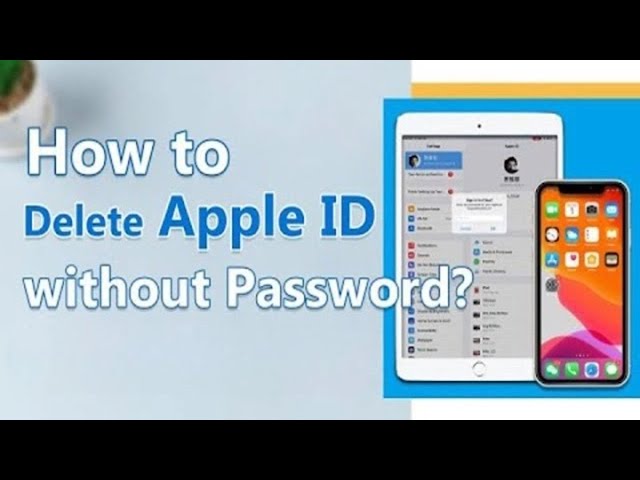
If you bought an iPhone that is locked to the activation lock, here's how to unlock is using iMyFone LockWiper.
Step 1. Download and launch LockWiper. On the load-up screen, choose Unlock Apple ID. Connect your device and click Start to Unlock.

Step 2. If your Find My is disabled on iPhone, LockWiper will start to remove Apple ID soon. Follow the instructions to turn off the Find My if the FMI is turned on.

Step 3. Your iPhone Apple ID will be removed soon. After resetting your iPhone, your bought iPhone's lock will be removed.

With LockWiper, just follow the above 3 steps, and you can enjoy the smooth process of removing old Apple ID and logging into yours in easy clicks with up to 99% success rate.
Other Locks You May Encounter after Bought a Locked iPhone
When you bought a locked iphone, the iPhone also has possibility been locked by carrier or by the screen lock. If you’ve encountered those situations, belows are guide for you.
1 iPhone Network Carrier Lock
If you put your SIM card to the iPhone you bought, and the phone shows “SIM Not Supported" or "SIM Not Valid.” This also means that you unfortunately bought an iphone that is locked.
A carrier lock means the phone only works with one mobile company. For example, a phone from AT&T might not work on T-Mobile. As the previous owner had a contract, the phone is "tied" to that network. Only contacting the original carrier can unlock this lock. Besides, there’re also some iphone unlock service online providing iPhone unlocking service.

Tips
Always check the "Carrier Lock" status ( Settings [>] General [>] About.) before buying a used phone. If it says "No SIM restrictions," you are safe.
2 iPhone Screen Passcode Lock
Another scenario is that after turning on your newly bought iPhone, and find that you need to enter a 4-digit/6-digit screen passcode; otherwise, you won't be able to use the second-hand iPhone.
That is, you bought an iPhone with a passcode.

In this case, you can also use iMyFone LockWiper to remove the iPhone's screen lock.
Besides removing Apple ID lock, iMyFone LockWiper can also used to remove different types of iPhone screen locks, including 4/6 digit, Touch ID, and Face ID passcode without any credentials.
The steps is similar to using iMyFone LockWiper to remove Apple ID. Learn the step-by-step guide to unlock iPhone screen passcode lock.
Tips to Buy Second-hand iPhone
Below are tips for buying a used iPhone next time.
Tips
Conclusion
When bought an iphone that is locked. You feel stuck, but there’re still solutions to unlock it.
Ready to fix your iPhone? Download LockWiper now and try the free trial. See how easy it is to remove that lock and finally use the phone you paid for.


Melvin Cooper has over 10 years of experience in the technology industry and is an expert at providing tips and handy solutions to Apple and Android users. Dedicated to helping millions of users improve their experience with mobile devices, he has maintained an impressive record of solving problems.
-
[2025] How to Use iforgot.apple.com Unlock Apple ID?
iforgot.apple.com can unlock Apple ID and reset Apple ID password. Let's see how it works to help you regain control of your device.
3 mins read -
How to Use 3uTools MDM Bypass & Its Alternatives [ 2026 ]
How to use 3uTools MDM bypass tool? This article gives a full review of how to bypass MDM with 3uTools and its best alternatives as well.
3 mins read -
What Is iOS 18 iPhone Inactivity Reboot Feature? How Does It Work?
Do you know the feature of iPhone inactivity reboot after 3 days in iOS 18.1? What is it and how does it work? This article tells you all!
2 mins read -
[2025] What Is iOS Account Manager & How to Remove It
What is iOS Account Manager? Can I remove it? This guide will explain what does iOS Account Manager mean and provide steps for you to remove it with ease.
3 mins read -
How to Fix This Apple ID Is Not Valid or Supported
This guide focuses on explaining and resolving why this apple id is not valid or not supported issues to help you fix Apple ID not working on iPhone problems.
3 mins read -
Easy Fix! Cannot Create Apple ID at This Time
If you are facing the dilemma of cannot create apple id at this time and don't know how to solve it, read this guide for an exhaustive solution.
3 mins read
Was this page helpful?
Thanks for your rating
Rated successfully!
You have already rated this article, please do not repeat scoring!